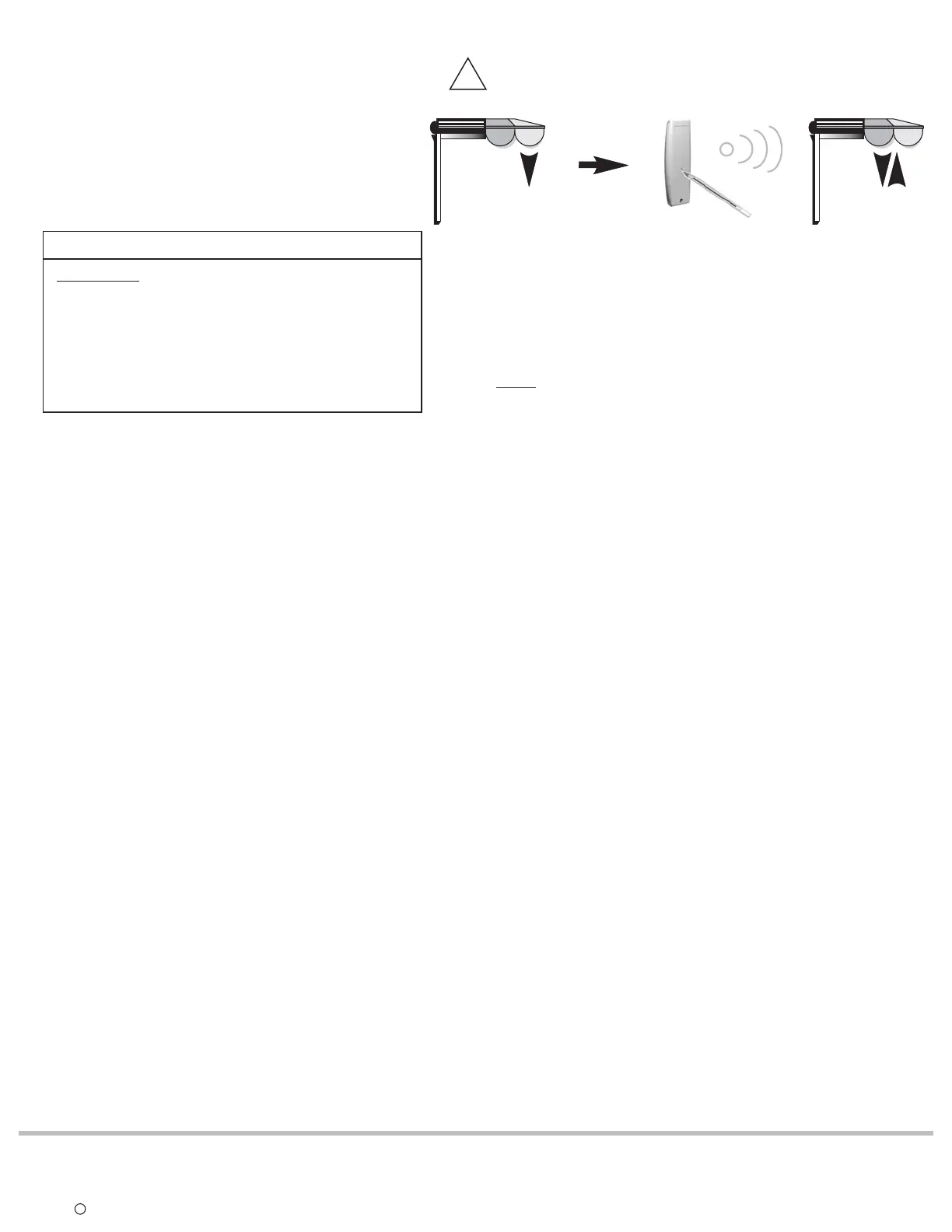
6) Back to the factory configuration (to reset completely the LT RTS CMO motor's memory)
A** . Perform a power cut in the following sequence:
1. Power-off - 2 sec. minimum
2. Power-on-5to15seconds
3. Power-off - 2 sec. minimum
4. Power-on
The end product moves for 5 seconds in one direction,
to indicate that the double power cut has been recorded.
The motor is in for 2 minutes.INSTALLER MODE
WARNING: This type of power cut affects all
the LT RTS CMO motors on the same power line.
To avoid resetting of non-concerned
motors, press briefly any button of their assigned
transmitter/channel. (UP, STOP, or DOWN)
The non-concerned motors will exit INSTALLER
MODE and return to USER MODE.
**RESETTING MOTORS BACK TO USER MODE
B. Press more than 5 seconds on the programming button of
the PREVIOUSLY recorded RTS transmitter/channel. The
end-product jogs briefly UP/DOWN indicating that the
LT RTS CMO motor has been completely cleared.
NOTE: A double power cut cannot be achieved if the motor is
still in FACTORY or INSTALLER Mode. First program a transmitter
into the memory of the motor.
>5 sec.
PREVIOUSLY RECORDED TRANSMITTER
5 seconds
!
SOMFY SYSTEMS, INC. reserves the
right to update, change or modify
these instructions without prior notice.
REF. NO: 940123A
COPYRIGHT C SOMFY SYSTEMS, INC. 4/02
SOMFY SYSTEMS, INC.
47 Commerce Drive
Cranbury, NJ 08512
SOMFY CANADA
6315 Shawson Drive, Unit #1
Mississauga, Ontario L5T1J2
SOMFY MEXICO S.A. De C.V.
Calle 3 No. 47, Loc. E-5
Fracc Ind. Alce Blanco
Nau., Edo. de Mex C.P. 53370






 To Previous Page