Universal Quick Programming Guide
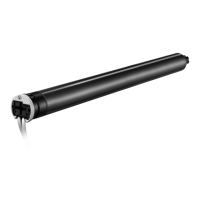
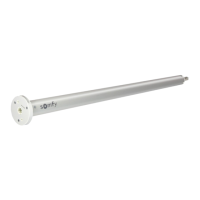
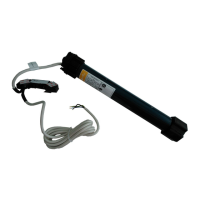
Sonesse® ULTRA 50 RTS (120V), Sonesse® 30 RTS (24V), Sonesse® 50 RTS (120V),
Roll Up 28 Wirefree™ RTS ant Tilt Only 50 Wirefre™ RTS Motors
*Instructions are for Situo® RTS hand-held remotes and Smoove® wireless wall switches.
Copyright © Somfy SAS 12/2020 P-0064CBG
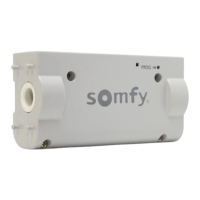
STEP 1: With the motor installed in shade, connect power to the motor (120V, 24V
or 12V transformer)
Programming
Button
Orange LED blinks continuosly - the motor is in programming mode.
Green LED blinks once when any order from a paired remote is
received. Blinks 5 times when step is memorized.
Red LED blinking 5 times indicates low battery, plug in the charger.
Solid red LED indicates obstacle.
Continuously blinking red LED indicates thermal protection mode -
wait for the motor to cool down.
LED BEHAVIOR FOR MOTORS WITH LED INDICATOR
BEFORE YOU BEGIN:
Steps 1-7 must be completed to ensure proper shade programming
and functionality. It is recommended to power only the motors being
programmed (disconnect power to all other motors).
NOTE: Motor will exit programming mode after 2 minutes of inactivity.
Some motors have a LED indicator, for those motors please see the LED
behavior. While in programming mode, the shade only operates when UP or
DOWN buttons are continuosly pressed.
INITIAL PROGRAMMING AND LIMIT SETTING
STEP 3: Check the direction of operation.
Press the DOWN button and conrm
the shade lowers.
STEP 6:
PRESS & HOLD
the MY/STOP button until
the shade jogs to conrm
both limit settings.
STEP 4:
Bring the shade to your desired upper
limit. PRESS & HOLD both the MY/STOP and
DOWN buttons until the shade begins to move
down, then release. Stop the shade at the desired
lower limit, adjust by pressing the UP or DOWN.
STEP 7:
To nalize BRIEFLY PRESS the PROGRAMMING
BUTTON on the back of the control. The shade will jog and
will now operate in user mode. A brief press of the UP or
DOWN button will send the shade to the respective limit.
STEP 2: To initiate programming PRESS &
HOLD the UP and DOWN buttons at the
same time until the shade jogs.
STEP 5:
PRESS & HOLD the UP
and MY/STOP buttons until the
shade begins to move up.
The shade will stop at the original
upper limit. Adjust if necessary.
If the shade raises instead of lowering, change the direction - PRESS & HOLD the MY/STOP
button until the shade jogs. Conrm correct direction of operation before proceeding.
ADJUSTING THE LIMITS
IN USER MODE
LOWER LIMIT
UPPER LIMIT
STEP 4:
PRESS & HOLD the MY/STOP button until
the shade jogs, then release. Check the new limit.
STEP 3:
Adjust to a new limit position using the UP
or DOWN buttons.
STEP 2:
PRESS & HOLD both UP and DOWN buttons
simultaneously until the shade jogs, then release.
STEP 1:
Move the shade to the current limit position
you wish to adjust and let it stop.
5x
5x
5x
5x
5x
Programming
Button


 To Next Page
 General