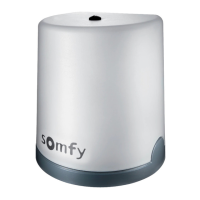
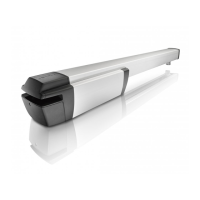
This document is an installation and programming guide for "Powered Blinds" by Somfy. It provides detailed instructions for setting up, operating, and fine-tuning the stopping positions of a motorized roller blind system.
Function Description
The Powered Blinds by Somfy are motorized roller blinds designed for ease of use and convenience. They are operated via a remote or wall switch control, allowing users to open, close, and stop the blinds at various positions with the touch of a button. The system comes pre-programmed with upper and lower stopping positions based on the blind's height measurement, but these can be adjusted by the user. Additionally, an intermediate stopping position can be programmed for quick access to a preferred mid-point. The blinds are battery-powered, ensuring a clean installation without the need for electrical wiring.
Important Technical Specifications
- Power Source: Battery pack. The guide illustrates a battery pack with a supply cable and plugs for connection to the motor.
- Control Type: Remote or Wall Switch Control. The guide shows a remote control with "Up," "Down," and "Stop" buttons, along with a "my" button for programming.
- Mounting Options:
- Inside Recess: Recommended for uPVC window frames or when obstructions like handles are present. Brackets are fixed within the window recess.
- Outside Recess: Recommended when fitting brackets directly to the window frame. Brackets are fixed outside the window recess.
- Bracket Type: Universal Brackets (2 supplied).
- Fixings: 4 screws and 4 raw plugs are supplied for securing brackets.
- Motor Head: Features an aerial and prongs for secure fitting into the bracket.
- Idle End: Features a '+' shaped plunger that fits into a corresponding '+' shaped part of the bracket.
Usage Features
- Easy Installation: The guide provides step-by-step instructions for fitting the brackets, mounting the blind, and connecting the battery pack. It includes guidance on marking bracket positions and ensuring proper alignment.
- Pre-programmed Positions: Blinds come with factory-set upper and lower stopping positions, simplifying initial setup.
- Adjustable Stopping Positions: Users can fine-tune both the upper and lower stopping positions to their preference. This involves pressing and holding specific buttons on the control until the blind "jogs" (moves slightly up and down) to confirm the adjustment.
- Intermediate Position: An intermediate stopping position can be programmed, allowing the blind to stop at a custom mid-point with a single press of the "Stop" button. This position can also be deleted if no longer needed.
- Simple Operation:
- Open: Press the "Up" button. The blind automatically stops at the upper stopping position.
- Close: Press the "Down" button. The blind automatically stops at the lower stopping position.
- Stop: Press the "Stop" button to halt the blind at any point during its travel or to activate the intermediate position.
- Visual Feedback: After connecting the battery pack, the blind performs a "Down/Up" movement for a few seconds, indicating that power has been restored.
- Motorized Control: Eliminates manual operation, providing convenience and accessibility.
Maintenance Features
- Battery-Powered System: The use of a battery pack simplifies power management and avoids the need for complex wiring. While not explicitly detailed, battery replacement would be a key maintenance aspect.
- Troubleshooting Support: The guide provides contact numbers (0800 014 6123 or 0345 031 7897 from a mobile) for assistance with installation or operation, indicating readily available support for users.
- Durable Components: The instructions emphasize secure fitting of brackets and proper connection of components, suggesting a design intended for long-term stability. For instance, the "Important note" about the pin end plunger needing to be fully depressed indicates a mechanism designed for secure locking.
The guide is structured logically, moving from initial installation steps to detailed programming instructions, making it user-friendly for setting up and customizing the Powered Blinds system.

 Need help?
 General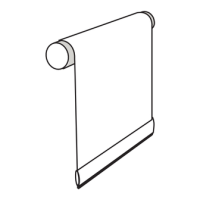

 To Next Page