Need help?
Do you have a question about the SOMFY SGS 601 and is the answer not in the manual?
Detailed specifications including supply voltage, motor power, and protection levels.
Specifies dimensions and weight limits for gate leaves.
Shows required clearance and overall dimensions of the motor drive.
Ensuring gate condition, gatepost sturdiness, and bracket suitability.
List of necessary tools for installation.
Instructions for running power and control cables between gateposts.
Information on photocell installation for safety and automatic operation.
Requirements for the main electrical power supply.
Important safety precautions during the installation process.
Measuring gate dimensions to determine motor placement.
Creating reference lines on gateposts for accurate positioning.
Procedure for drilling holes in gateposts for fasteners.
Using chemical sealants for reliable bracket fastening.
Securing the mounting bracket to the gatepost.
Attaching the arm plate to the bracket.
Connecting the motor arm to the arm plate.
Attaching the lug to the gate leaf for arm connection.
Procedure for connecting and disconnecting the motor arm.
Attaching the lug to the gate leaf for arm connection.
Verifying the arm is correctly positioned horizontally.
Placing the electronic housing unit on the gatepost.
Securing the electronic housing to the gatepost.
Wiring the motor arms to the electronic housing.
Wiring the radio antenna to the electronic housing.
Connecting the unit to the main power supply.
Instructions for connecting the aerial wire to the housing.
Procedure for safely connecting the mains power cable.
Importance and method of connecting the earth wire.
Explanation of symbols used for remote control operations.
How to register remote controls for gate operation.
Details on complete and pedestrian opening modes.
Setting up remotes for full gate opening.
Setting up remotes for pedestrian access or full opening.
Procedure to delete all registered remote controls and add new ones.
Switching between operating modes for programmed remotes.
Setting the precise opening limits for the gate leaves.
Programming the gate's movement path and torque detection.
Verifying that all settings have been applied correctly.
Configuring the automatic closing function.
Changing the gate's operating mode.
Final mechanical securing and reassembly after adjustments.
How to operate the gate using sequential open/close commands.
Using the gate for pedestrian access.
How the gate operates with automatic closing.
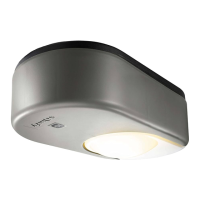
Functionality of the zone lighting feature.
Procedure for replacing the remote control battery and tips for use.
Using coloured clips to personalise remote controls.
Instructions for safely attaching and detaching the motor arm.
Common issues and solutions when remote commands fail.
Diagnosing and resolving permanent DANGER LED indication.
Interpreting and addressing ON/OFF LED blinking patterns.
Troubleshooting incorrect arm movement or wiring.
Solutions for reduced remote control range.
Resolving issues where the gate reopens after closing.
Troubleshooting unexpected automatic closing.
Contact information for further support.
Description, placement, and wiring of photocell safety sensors.
Periodic checks required for photocell functionality.
Details and function of the backup battery for power failures.
Function of the orange LED indicator light.
Description and connection of a key switch accessory.
Description and connection of an intercom accessory.
Description and wiring of a wired keypad entry system.
Description of a wireless wall-mounted switch.
Description of a wireless keypad entry system.
Description of two-button and four-button remote controls.
Description and connection of an external remote antenna.
Detailed dimensions for precise arm positioning on gateposts.
 General
| Power supply | 230V AC |
|---|---|
| Motor voltage | 24V DC |
| Operating Temperature | -20°C to +60°C |
| Protection Rating | IP44 |
| Motor Type | Electromechanical |
| Max. opening angle | 120 degrees |
| Control Options | Remote control |
| Type | Swing Gate Opener |


 To Next Page