Sleep Apnea Therapy User Manual Page 27
Powering the CPAP
Powering the CPAP
The Transcend Sleep Apnea Therapy System offers three choices for powering your CPAP device:
• Using the universal AC power supply (page 27)
• Using the Transcend P4 or P8 battery systems (page 28)
• Using the mobile power adaptor (page 32)
Using the universal AC power supply
The Transcend Sleep Apnea Therapy System includes a universal AC power supply adaptor. It provides 19VDC
for powering the CPAP device. A detachable power cord connects to the AC line (100-240VAC, 50/60Hz).
Note Use only the Somnetics-supplied AC power supply. For non-US power systems, use a plug adaptor (not a
power-converter).
1. Attach the AC power cord to the power supply.
2. Insert the AC power cord plug into AC line power wall outlet.
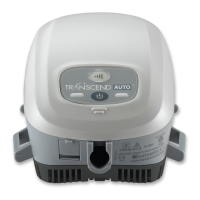
3. Insert the barrel connector of power supply into the power jack on the back of the CPAP.
4. Ensure the CPAP power-up LED flash sequence completes and the LEDs remain off afterwards; this
indicates that power is being supplied to the CPAP and that the CPAP has successfully entered standby
mode.
Note Make certain that the cables are securely connected to the power supply and to the power jack on the back
of the CPAP. It may be necessary to unplug the cables and reconnect to ensure a good connection.


 To Next Page