Lodestar Hardware
Manual
Document Ref: UM-8084-
Issue: A– Rev
© Sonardyne International Limited 201
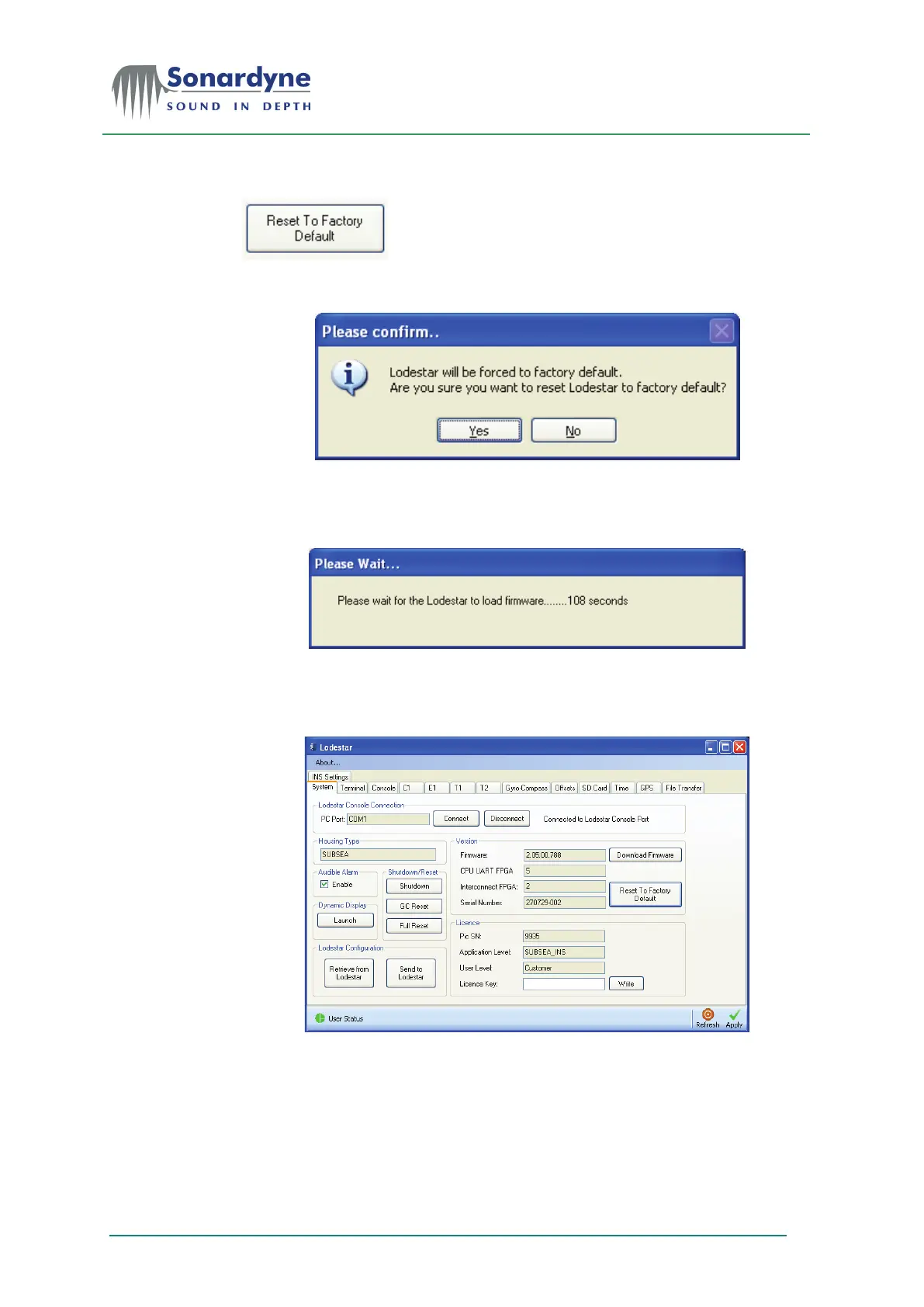
Press the Reset to Default button.
Press Yes to confirm that you want to reset Lodestar to default.
The PC Utility will reboot Lodestar and reset it to factory default state. It will then
wait for Lodestar to re-boot.
After the boot process has completed the PC
Utility will attempt to connect to
Lodestar using factory default settings. If successful then information concerning
the lodestar will be displayed.


 To Next Page