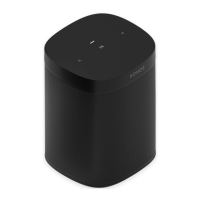
On/Off Your Sonos system is designed to be always on; the system uses minimal electricity
whenever it is not playing music. To quickly stop streaming audio in all rooms, select
Pause All from the Rooms menu. To stop streaming audio in one room, press the Play/
Pause button on the player.
Play/Pause button Toggles between playing and pausing the audio in this room (defaults to restarting the
same
music source when pressed unless a different source is selected).
• Press on
ce to start or stop streaming audio
• Press twi
ce to skip to the next track (if applicable to the selected music source)
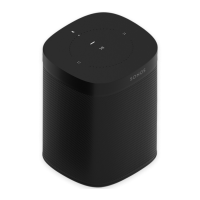
Status indicator Indicates the current status of the PLAY:1. Whe
n the PLAY:1 is in normal operation, you
can turn the white status indicator light on and off.
For a complete list of status indications, please go to http://faq.sonos.com/led.
Volume up (+)
Volume down (-)
Press these buttons to adjust the volume up and down.
Threaded mounting hole
1/4 inch /
20-thread
The PLAY:1 has an integrated mounting hole on the back of the unit so it can be wall-
m
ounted if desired (mounting bracket not included.) See "Wall Mounting" on page 5 for
more information.
Ethernet switch connector You can use an Ethernet cable (supplied) to con
nect the PLAY:1 to a router, computer, or
additional network device such as a network-attached storage (NAS) device.
AC power (mains) input
(100 - 240 VAC, 50/60 Hz)
Use only the supplied power cord to connect to a po
wer outlet (using a third-party power
cord will void your warranty).
Insert the power cord firmly into the PLAY:1 until i
t is flush with the bottom of the unit.
Product Guide
4
Selecting a Location
You can locate a Sonos PLAY:1 just about anywhere. For maximum enjoyment, we have a few guidelines:
• The PLAY:1 is designed to work well even when placed next to a wall or other surface. F
or optimum performance,
maintaining more than 1 inch (2.5 cm) clearance around the back of the unit is recommended.
• Care should be taken if placing the PLAY:1 close to an older CRT (cathode ray tube) television. If you notice any
discoloration or distortion of your picture quality, simply move the PLAY:1 further from the television.
• The PLAY:1 is humidity-resistant so you can use it in the bathroom; however it is not water-resistant so don’t position
it near water or leave it outside during a rain storm.



 To Next Page
 Loading...