Chapter A: Tips and Troubleshooting A-3
2. Check Router
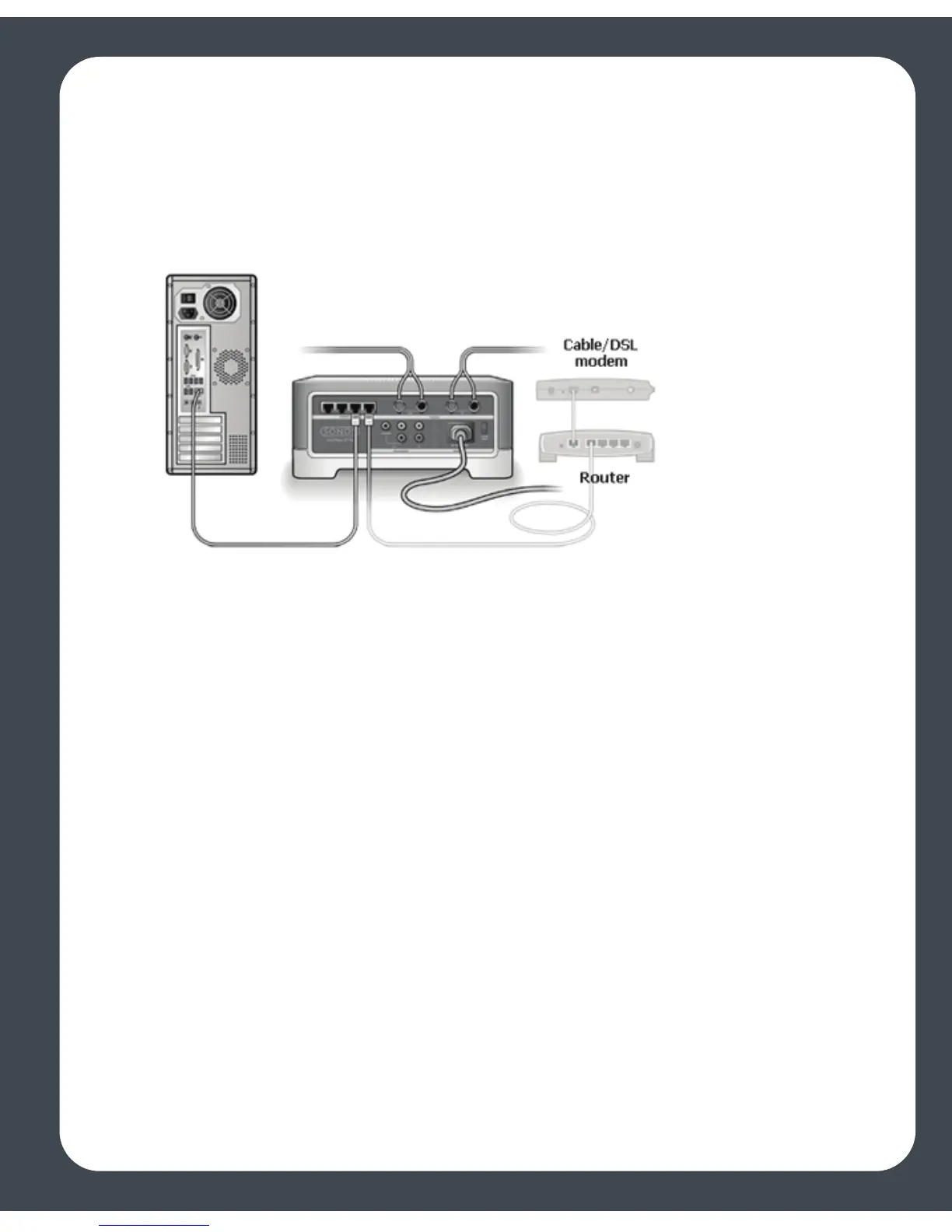
You can bypass your router’s switch to see if there are any router configuration issues
(note that the ZonePlayer and the computer will still have Internet access in this
configuration):
• Be sure that your cable/DSL modem is connected to the router’s WAN (Internet)
port.
• Temporarily remove any other components that are wired to your network.
• Connect an Ethernet cable from the computer directly to the back of the Zone-
Player, and then connect another Ethernet cable from the ZonePlayer directly to
one of the LAN ports on your router.
• When you make a change to your network configuration, you may need to pow-
er cycle the ZonePlayer by unplugging the power cord, and then plugging it
back in.
• If you are not using a router, see http://faq.sonos.com/norouter.
3. Check Wiring
Check the link/activity lights on both the router and the ZonePlayer. They should be
green, and there should be blinking activity lights.
• If the green link lights are not lit, try connecting to a different port.
• If the link lights still do not light, try connecting a different Ethernet cable.



 To Next Page