Chapter 2: ZonePlayer Setup and Operation
2-22
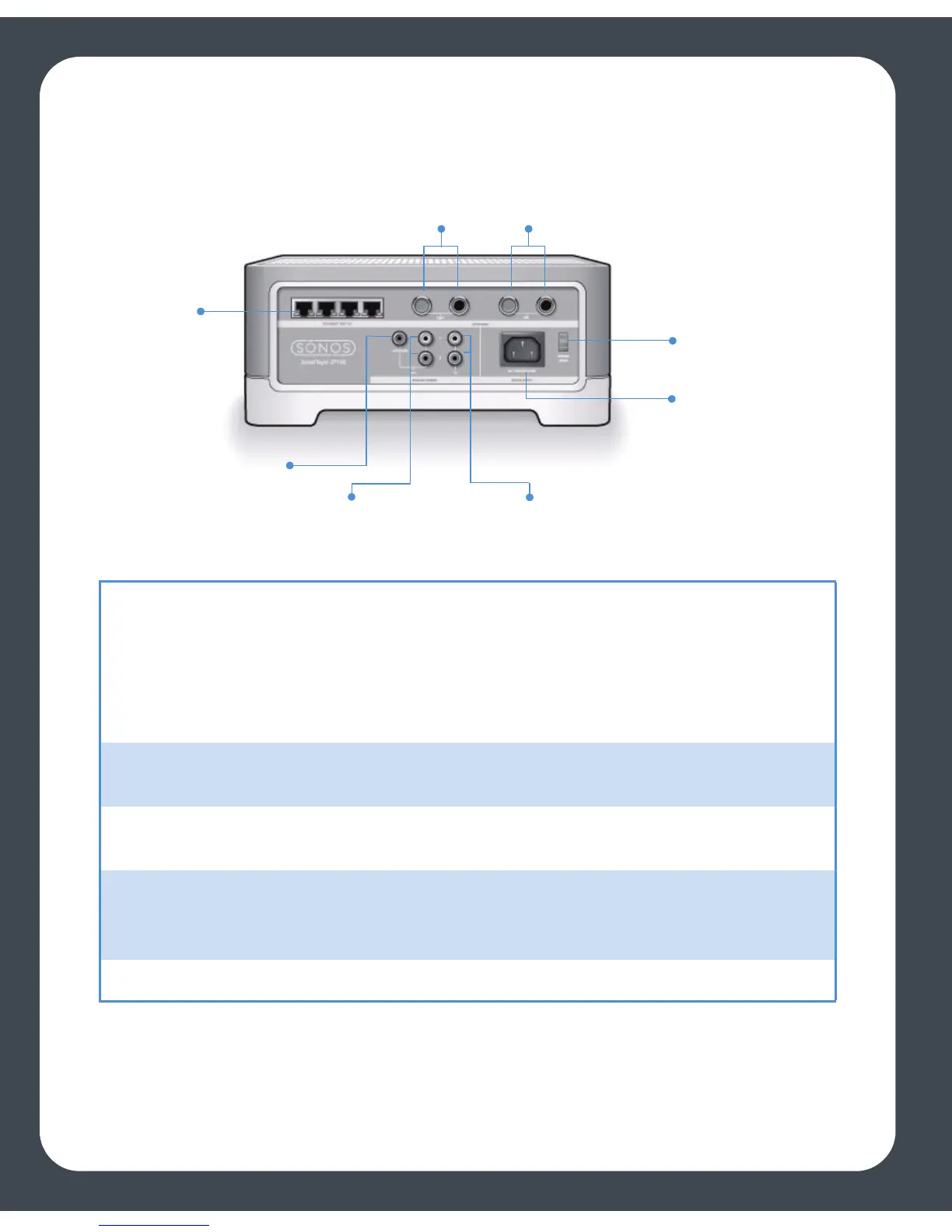
ZonePlayer 100 Rear Panel Connectors
Ethernet switch connectors (4) Use Category 5 Ethernet cable to connect to a router,
computer, or additional network device such as a
network-attached storage (NAS) device.
LED indicators:
• Green (link connection)
• Flashing Yellow (network activity)
Right speaker terminals Use high-quality speaker wire to connect the right
speaker to the ZonePlayer.
Left speaker terminals Use high-quality speaker wire to connect the left
speaker to the ZonePlayer.
Voltage select AC 115/230 V
Select the voltage setting that is appropriate for your
country.
AC power (mains) input Use the supplied power cord to connect to power outlet.
Ethernet
switch
connectors
Right speaker
terminals
Left speaker
terminals
Voltage select
115V/230V
AC power (Mains)
input
Analog audio inAnalog audio out
Subwoofer output



 To Next Page