Chapter 3: Windows® Desktop Controller
3-29
Windows Media Player 11
The Sonos Digital Music System is compatible with Windows Media Player 11. Once
you have Windows Media Player on your computer, you must make sure media sharing
is turned on so that the Sonos Digital Music System can access the music stored in your
WMP library. This is a one-time preference setting.
Enabling Windows media sharing
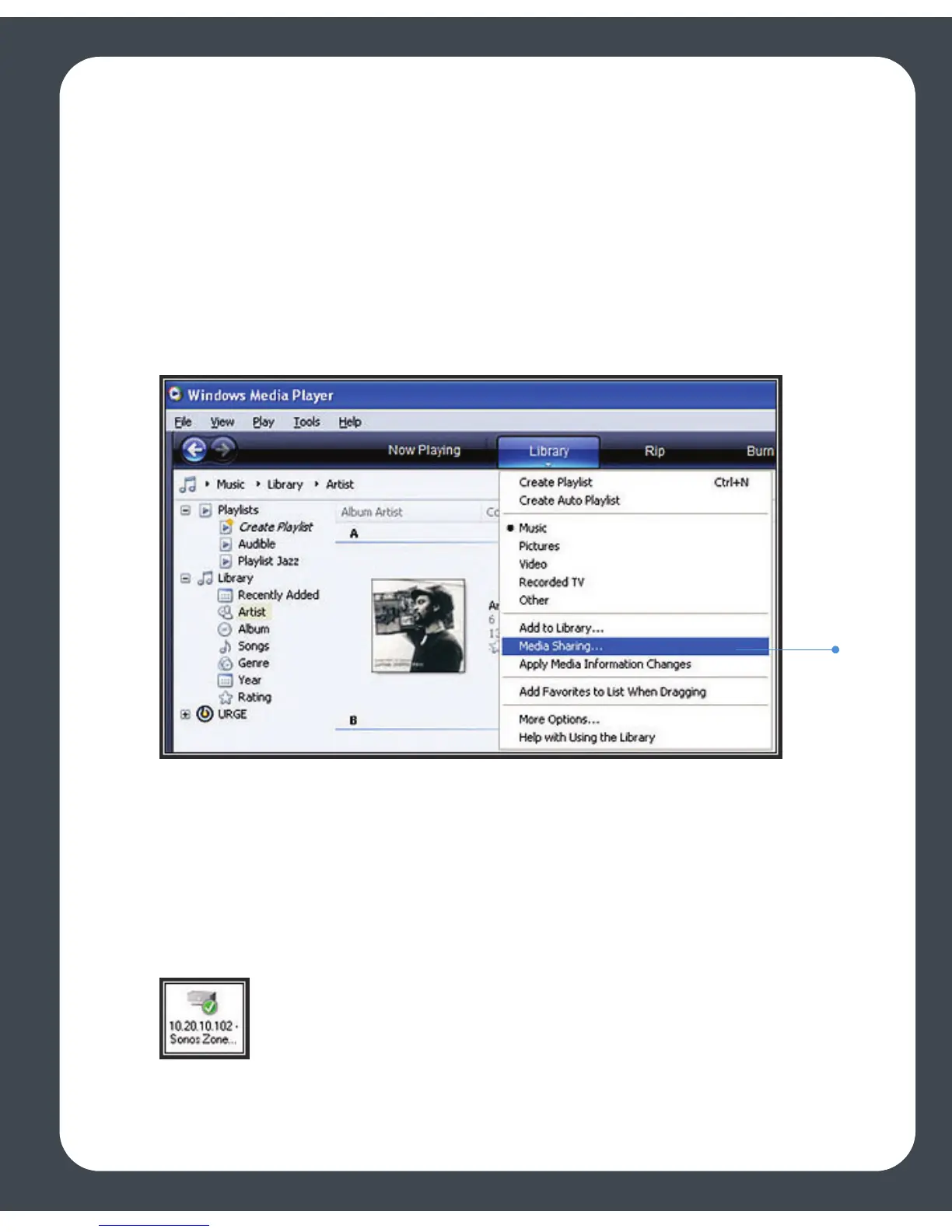
4. Start Windows Media Player 11.Click the Library tab.
5. Select Media Sharing.
6. Click the Share my media checkbox, and click OK.
After you turn on media sharing, a list of your networked devices will appear.
7. Click to highlight the first ZonePlayer in the list, and click Allow.
8. Select the next ZonePlayer and click Allow, repeating this procedure until all of
your ZonePlayers display a green checkmark (see illustration below).



 To Next Page