Sonos Digital Music System User Guide4-16
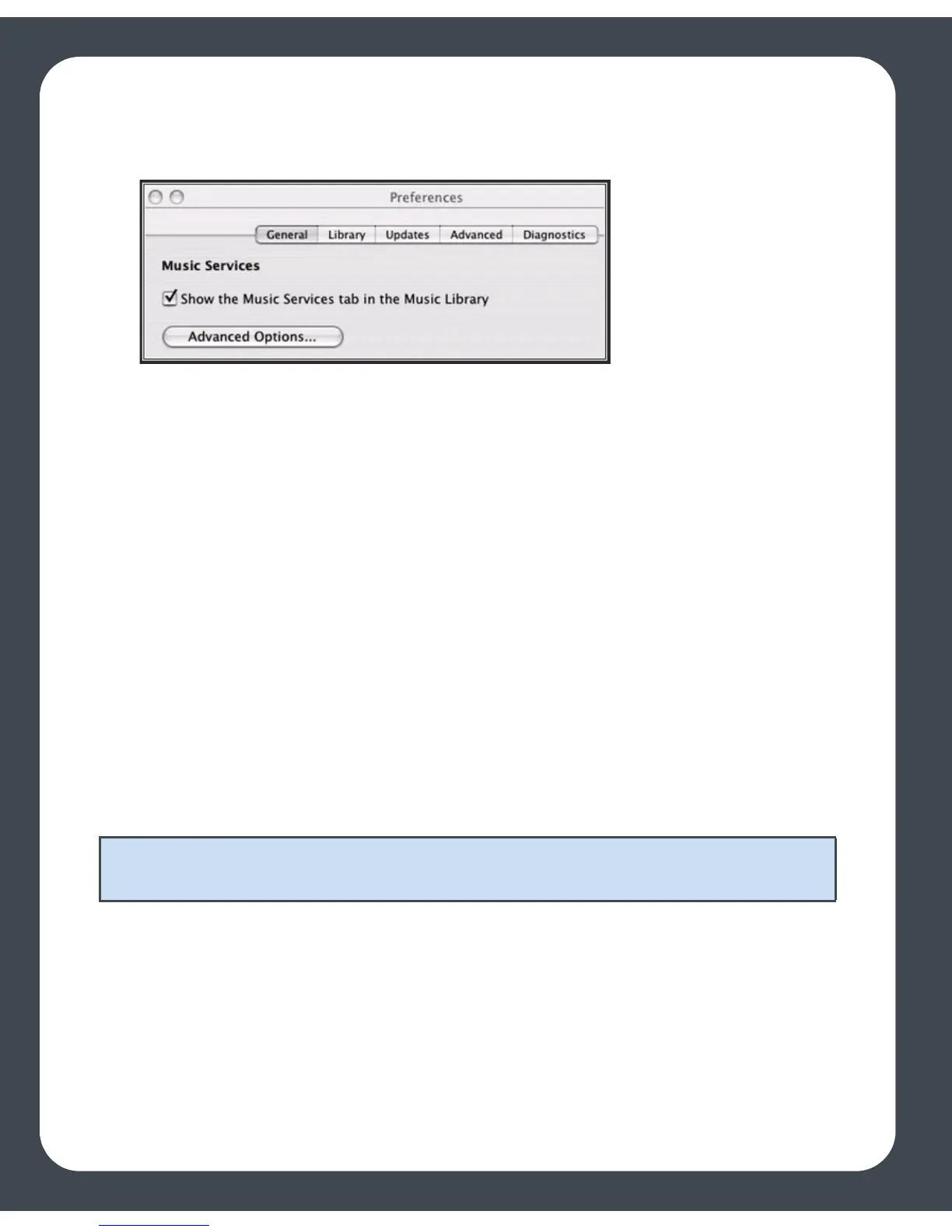
• To change your preference setting, go to Sonos>Preferences>General and
check or uncheck the Show Music Services tab in the Music Library box.
Your music service password
If you want to change the password for a music service you subscribe to, such as
Rhapsody, or Pandora, you must first change the password with your music service
provider.
Go to your music service provider’s Web site, and change your password in the account
settings. Once you've changed your password there, update your Sonos system by
selecting one of the following options:
• Using the Desktop Controller software, select Set Up Music Services from the
Music menu. Highlight the music service you wish to update, and click the Edit
button.
• Using the handheld Sonos Controller, select System Settings>Music Library
Management>Music Service Setup. Highlight the music service you wish to
update, and select Edit.
Deleting a music service trial
1. From the Music menu, select Set Up Music Services.
2. Select the music trial you wish to remove, and click the Remove button.
3. Click Ye s to confirm.
Note: If you don’t change your password with the music service first, it won’t work
on your Sonos Digital Music System.



 To Next Page