Getting started: Using the T68 as a modem
13
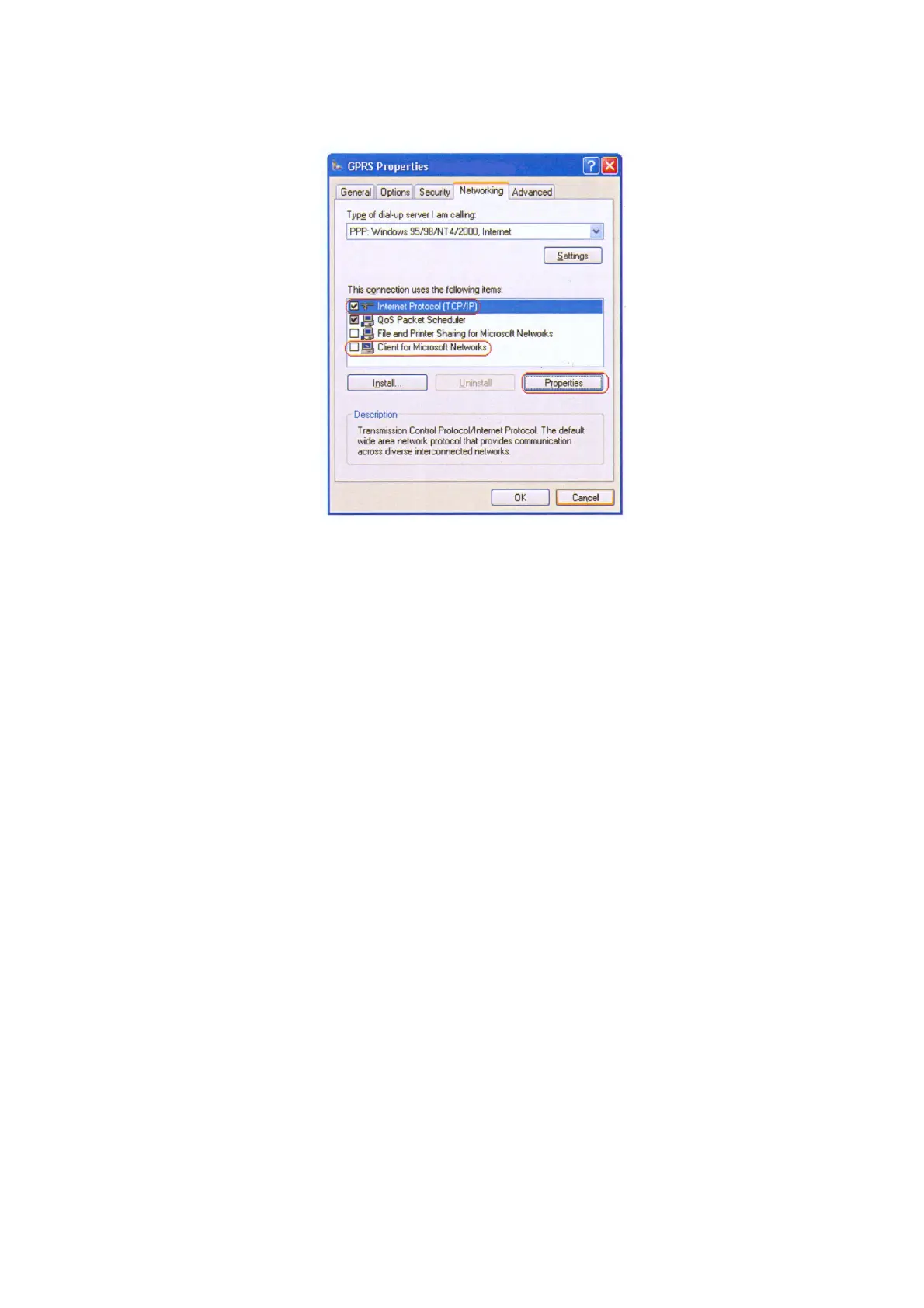
• Click the Properties button.
11.On the General tab:
• Select Obtain an IP address automatically.
• Select Obtain DNS server address automatically.
Note: With some operators you have to select Use the following DNS server addresses. If
you cannot browse the Internet after a connection has been established, check with your GSM
operator what name server address (DNS) to use.
• Click the Advanced button.
12.On the General tab:
• Use IP header compression should be cleared.
13.Click OK twice to save the settings.
To connect to a GPRS network
1.Make sure the phone is connected to the PC.
2.Click Start, click Connect To and select the connection you just created.
3.In the Connect dialog box, enter the user name and password if your operator has provided
you with these, otherwise leave these boxes empty.
4.Make sure the telephone number (that is, the GPRS dial string, for example,
*99***1#) is correct
and click Dial.












 To Next Page