15Getting started
Navigation
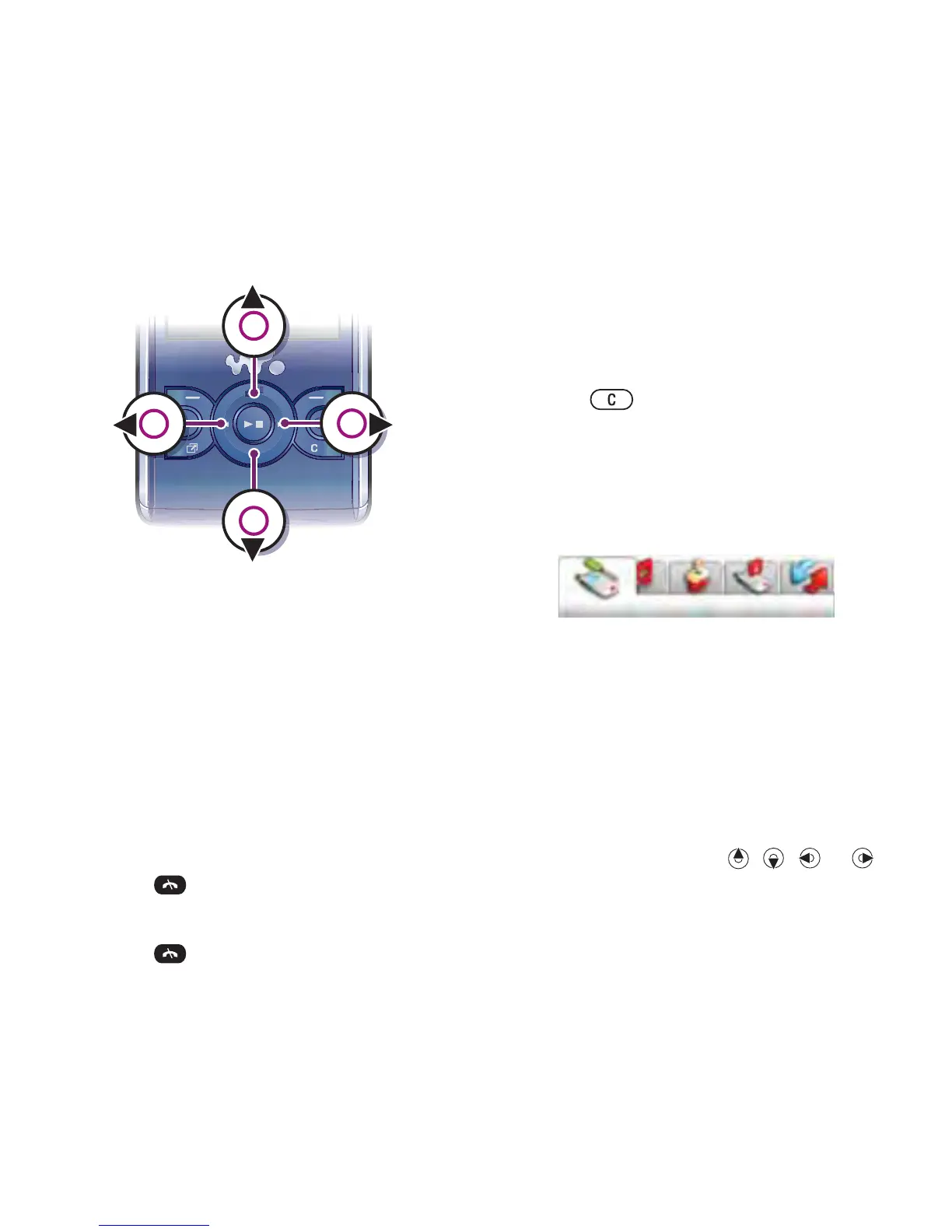
To navigate the phone menus
1 From standby select Menu.
2 Use the navigation key to move
through the menus.
To select actions on the screen
• Press the left, centre or right selection
key.
To view options for an item
• Select Options to, for example, edit.
To end a function
• Press .
To return to standby
• Press .
To navigate your media
1 From standby select Menu > Media.
2 Scroll to a menu item and press the
navigation key right.
3 To go back, press the navigation key
left.
To delete items
• Press to delete items such as
numbers, letters, pictures and sounds.
Tabs
Tabs may be available. For example,
Settings have tabs.
To scroll between tabs
• Press the navigation key left or right.
Shortcuts
You can use keypad shortcuts to go
directly to functions.
To use navigation key shortcuts
• From standby press , , or to
go directly to a function.
To edit a navigation key shortcut
1 From standby select Menu > Settings
> the General tab > Shortcuts.














 To Next Page