50 Imaging
Imaging
You can take pictures and record
video clips to view, save or send. You
find saved pictures and video clips in
Media and in My Files.
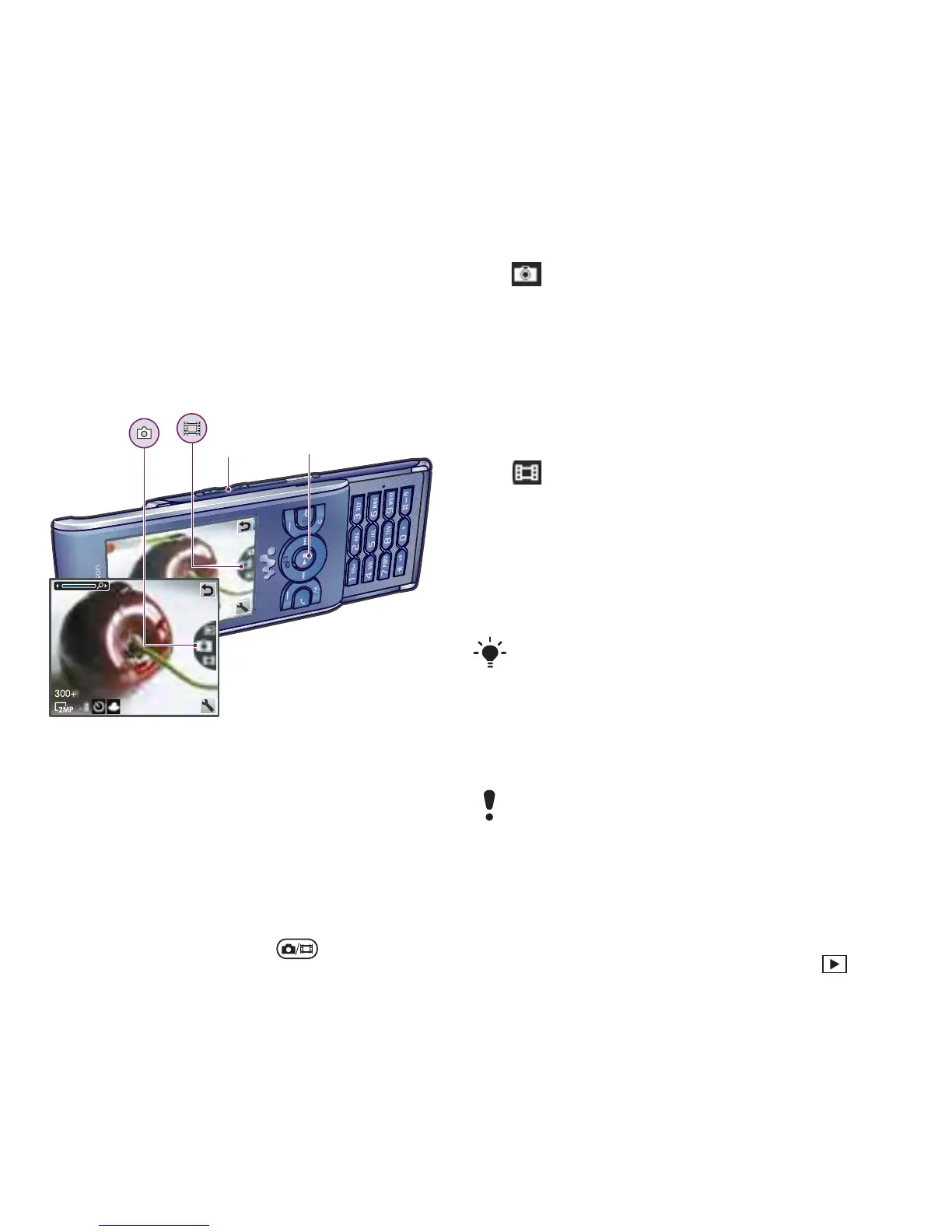
Viewfinder and camera keys
Using the camera
To activate the camera
• From standby press .
To take a picture
1 Activate the camera and press the
navigation key up or down to scroll to
.
2 Press the navigation key to take a
picture.
3 The picture is automatically saved.
To record a video clip
1 Activate the camera and press the
navigation key up or down to scroll to
.
2 Press the navigation key to start
recording.
3 To stop recording, press the
navigation key. The video clip is
automatically saved.
To use zoom
• Press the volume keys right or left.
To adjust brightness
• Press the navigation key left or right.
To view pictures
1 Activate the camera and select .
2 Scroll to the item.
1 Zoom in or out
2 Take pictures/Record video clips
1
2
Do not record with a strong light source
in the background. Use a support or the
self-timer to avoid a blurred picture.
When taking a picture, zoom is available
only in VGA mode.














 To Next Page