20
Playing from a USB
Device
For “Playable types of files”, see
page 39.
1 Connect the USB device to the
USB jack on the player (page 9).
Refer to the instruction manual
supplied with the USB device before
connecting.
2 Select [Video], [Music],
or [Photo] on the home menu
using </,.
3 Select [USB device] using
M/m, and press ENTER.
Enjoying Karaoke
You can enjoy karaoke features by
setting this player to karaoke mode. You
can connect up to two microphones to
the player.
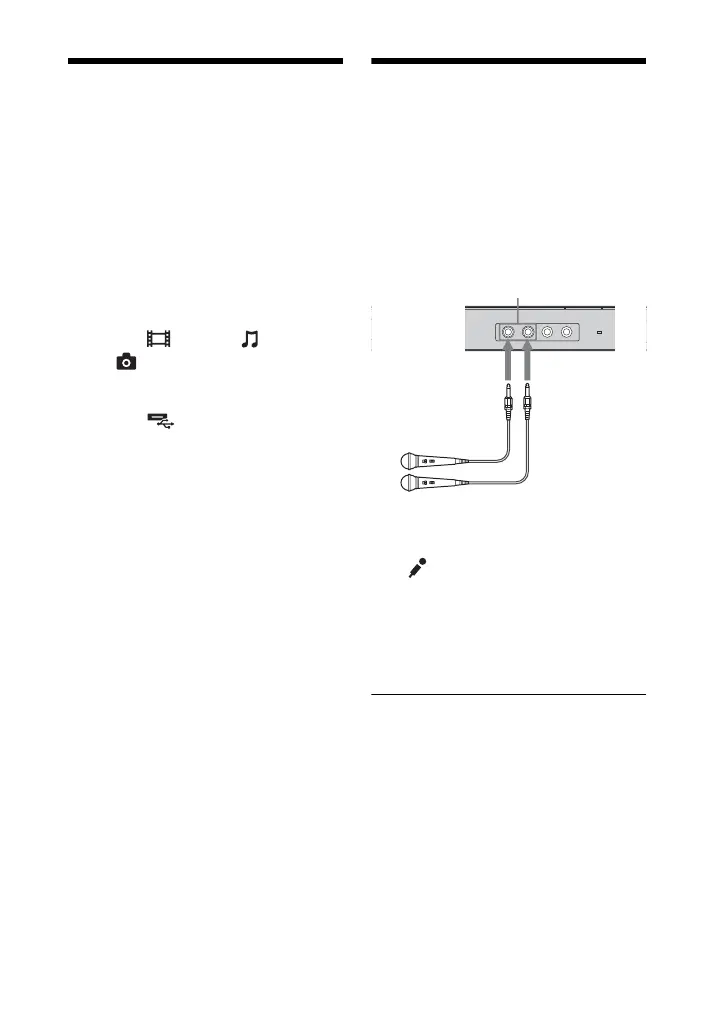
1 Plug a microphone into the MIC 1
or MIC 2 jack.
The player enters karaoke mode, and
“ ” appears on your TV screen.
2 Start audio playback by following
the steps in “Playing a Disc”
(page 18) or “Playing from a USB
Device” (page 20).
MIC 1/2 jacks
Microphones (not supplied)


 To Next Page