28
Settings and Adjustments
Using the Settings
Displays
Select [Setup] on the home menu
when you need to change the settings of
the player.
The default settings are underlined.
1 Select [Setup] on the home
menu using </,.
2 Select the setup category icon
using M/m, and press ENTER.
[Network Update]
Select [OK] to update the player’s
software via the network.
z
• We recommend performing the network
update every 2 months or so.
• For information about update functions,
visit the following website:
http://support.sony-europe.com/
[Screen Settings]
x [3D Output Setting]
[Auto]: Normally select this.
[Off]: Select this to display all content in
2D.
x [TV Screen Size Setting for 3D]
Sets the screen size of your 3D-
compatible TV.
x [TV Type]
[16:9]: Select this when connecting to a
wide-screen TV or a TV with a wide
mode function.
[4:3]: Select this when connecting to a
4:3 screen TV without a wide mode
function.
x [Screen Format]
[Full]: Select this when connecting to a
TV with a wide mode function. Displays
a 4:3 screen picture in 16:9 aspect ratio
even on a wide-screen TV.
[Normal]: Changes the picture size to fit
the screen size with the original picture
aspect ratio.
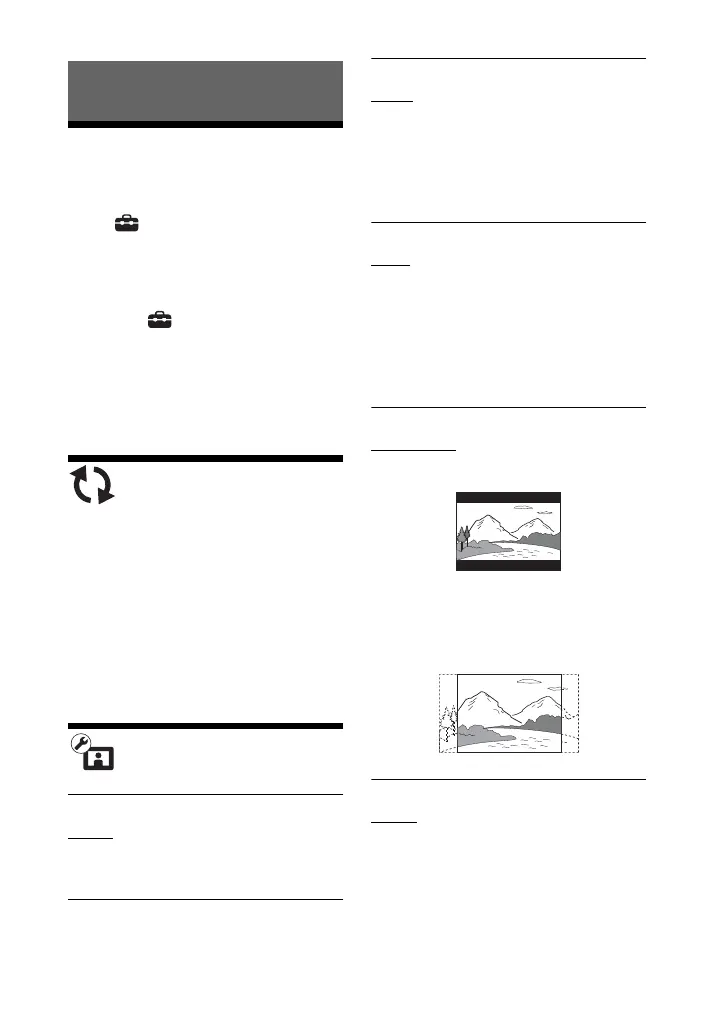
x [DVD Aspect Ratio]
[Letter Box]: Displays a wide picture
with black bands on the top and bottom.
[Pan & Scan]: Displays a full-height
picture on the entire screen, with
trimmed sides.
x [Cinema Conversion Mode]
[Auto]: Normally select this. The player
automatically detects whether the
material is video-based or film-based,
and switches to the appropriate
conversion method.
[Video]: The conversion method suited
for video-based material will always be
selected regardless of the material.


 To Next Page