9
(E)
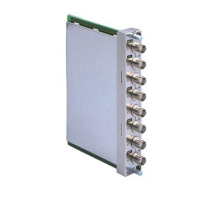
BKM-142HD HD SDI Input Adaptor
The BKM-142HD HD SDI Input Adaptor is the video
signal input adaptor for Sony BVM-D9H/D14H series
video monitors.
When installed in the input option slots on the rear
panel of the video monitor, it provides video input/
output connectors for the monitor and a decoder for
HD serial digital signals.
Functions
Decoding of HD serial digital signals
The built-in decoder decodes the HD serial digital
signals.
HD serial digital input and output signal
connectors
The BKM-142HD is equipped with two input
connectors for serial digital signals and one output
connector for monitor signals.
Using the Input and Output
Connectors
For information about installing the BKM-142HD in the
video monitor input option slots, see "Installing into Video
Monitors" on page 11(E).
Configuration of input/output connectors
and signals that may be input
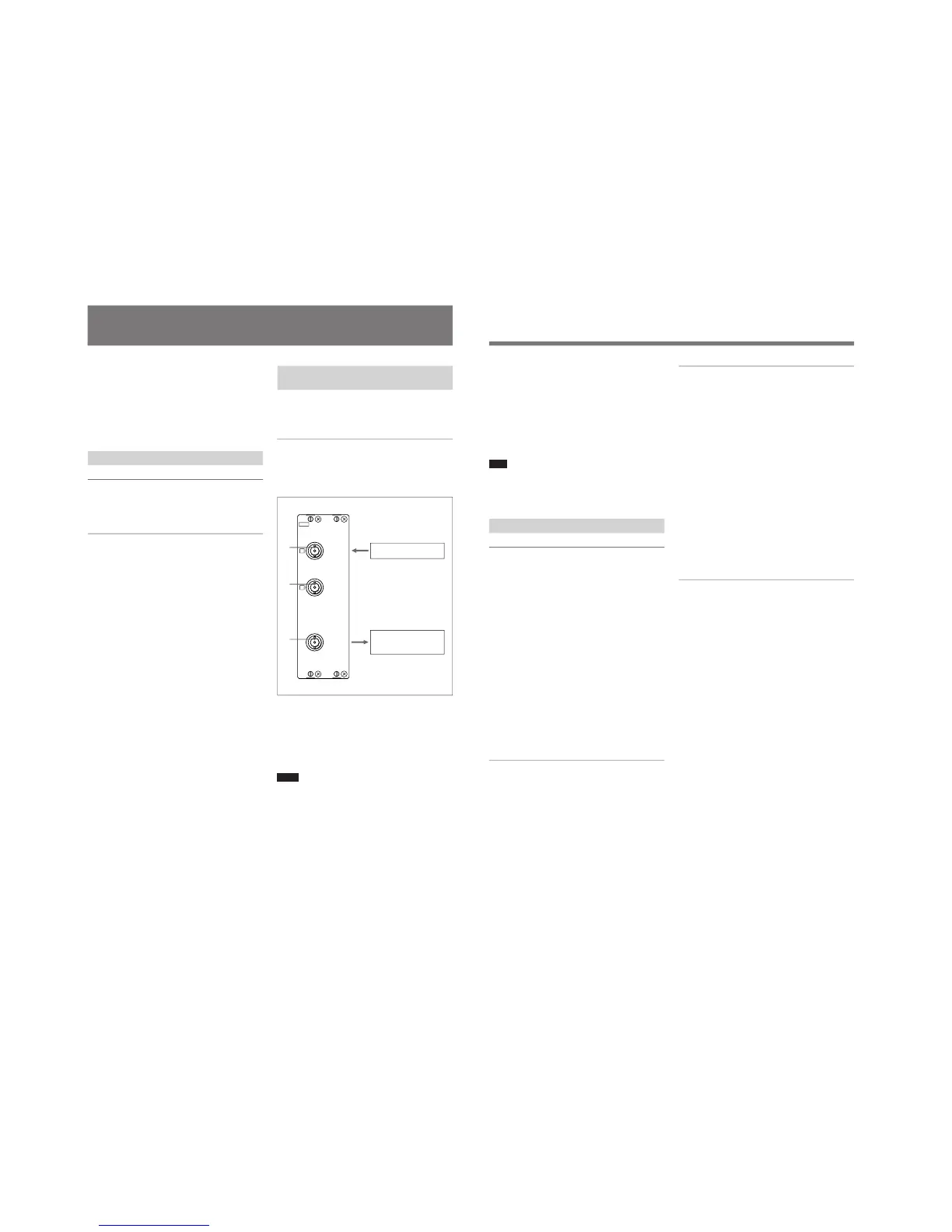
The configuration of the input and output connectors
and the signals that may be input are shown below.
Input of HD serial digital signals
You can input HD serial digital signals to connectors
1 and 2. Input signals displayed on the video
monitor screen are output from connector 3. You
need not attach the 75-ohm termination to connector
3.
Notes
• The MONITOR OUT signals are available only
when the power of the video monitor is ON. The
MONITOR OUT signals are not available when the
monitor is in standby mode.
• The MONITOR OUT signals do not satisfy the ON-
LINE signal specifications.
HD serial digital signals
10
(E)
Assigning input signals to connectors
Before inputting signals to the BKM-142HD, you must
specify the type and format of the signal that will be
input to each connector. To assign input signals to
each connector, use the on-screen INPUT CONFIGN
menu of your video monitor.
For information about using the INPUT CONFIG menu,
refer to the manual of your video monitor.
Note
After assigning input signals to each connector, carry
out the AUTO adjustment of the CONTROL PRESET
ADJ menu.
Specifications
General
Power requirements +5 V, ±6 V
(supplied from the monitor)
Power consumption 9W
Operating conditions
Temperature 0°C to 35°C (32°F to 95°F)
Optimum temperature
20°C to 30°C (68°F to 86°F)
Humidity 0% to 90% (no condensation)
Pressure 700 hPa to 1060 hPa
Storage and transport conditions
Temperature –10°C to 40°C (14°F to 104°F)
Humidity 0% to 90% (no condensation)
Pressure 700 hPa to 1060 hPa
Maximum external dimensions (w/h/d)
50 × 162 × 122 mm
(2
× 6
1
/2 × 4
7
/8 inches)
Mass Approx. 730 g (1 lb 10 oz)
Input/output connectors
Digital input BNC × 2, with monitor output
Signal characteristics
Digital signals
HD SDI signal input
Input impedance 75 ohms, unbalanced
Data rate 1.4835Gbps to 1.485Gbps
Conform to SMPTE 292M, BTA-S004B
MONITOR OUT
Output signal amplitude
800 mVp-p±10%
Output impedance
75 ohms, unbalanced
Frequency response
Y 48 Hz to 24 MHz ±3 dB
P
B, PR
48 Hz to 12 MHz ±3 dB
Delay time error 30 nsec max.
Transmission distance
100 m (approx. 328 ft) max.,
When using 5C-FB coaxial
cables (Fujikura, Inc.) or
equivalent.
Accessory supplied
Installation manual (1)
Design and specifications are subject to change
without notice.
BKM-142HD HD SDI Input Adaptor




 To Next Page