4
GB
Start-up Guide
Checking the accessories
Table-Top Stand *
Fixing screws for Table-Top Stand (M5 × 16) (3)
(for KLV-42EX410/32EX310)
Fixing screws for Table-Top Stand (M4 × 14) (2)
(for KLV-22EX310)
Assembling screws for Table-Top Stand (M6 × 14) (3)
(for KLV-42EX410/32EX310)
Assembling screws for Table-Top Stand (M5 × 8) (2)
(for KLV-22EX310)
Hexagon wrench (1) (for KLV-42EX410/32EX310)
Stand rear cover (1) (for KLV-22EX310)
Remote RM-GA020 (1)
Size AA batteries (R6 type) (2)
* Assemble the Table-Top Stand with the supplied
assembling screws. Refer to the supplied Table-Top Stand
leaflet to assemble the stand.
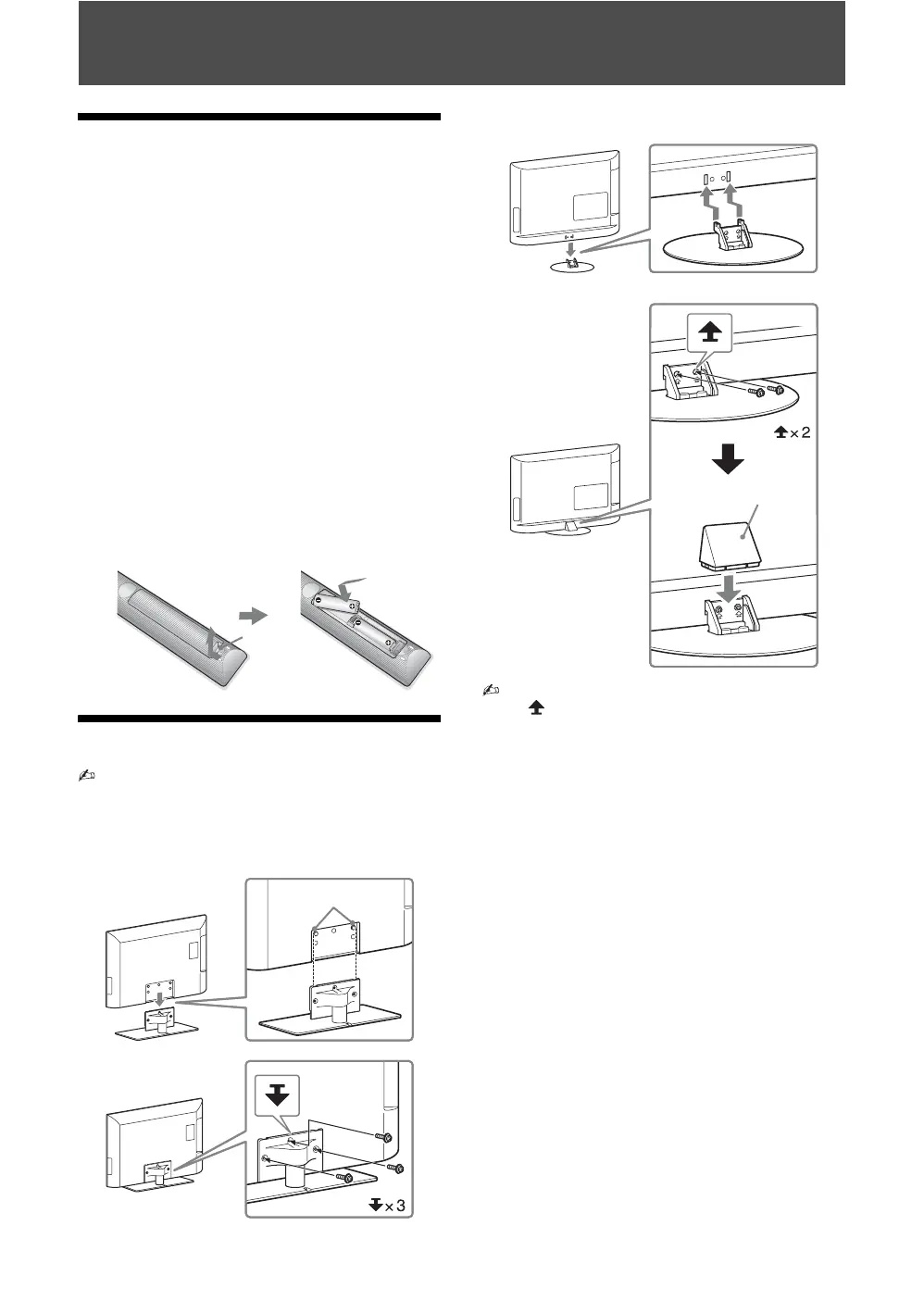
To insert batteries into the remote
1: Attaching the stand
• Refer to the supplied stand leaflet for proper
attachment.
• For best picture quality, do not expose the screen to
direct illumination or sunlight.
B KLV-42EX410/KLV-32EX310
B KLV-22EX310
• Fix the TV to the stand according to the arrow marks
that guide the screw holes using the supplied
screws.
• This TV is very heavy, so two or more people should
place the TV onto the stand (KLV-42EX410/KLV-
32EX310 only).
• If using an electric screwdriver, set the tightening
torque at approximately 1.5 N·m (15 kgf·cm).
• Ensure the AC power cord is away from screw holes
during stand installation to avoid damage to the AC
power cord.
Push to
open
Guide pins
Stand rear cover




 To Next Page