7
GB
Start-up Guide
Watching TV
1 Press 1 on the TV to turn on the TV.
2 Press the number buttons or PROG/CH +/–
to select a TV channel.
3 Press 2 +/– to adjust the volume.
Adjusting the viewing angle
of the TV (KLV-42EX410/KLV-
32EX310 only)
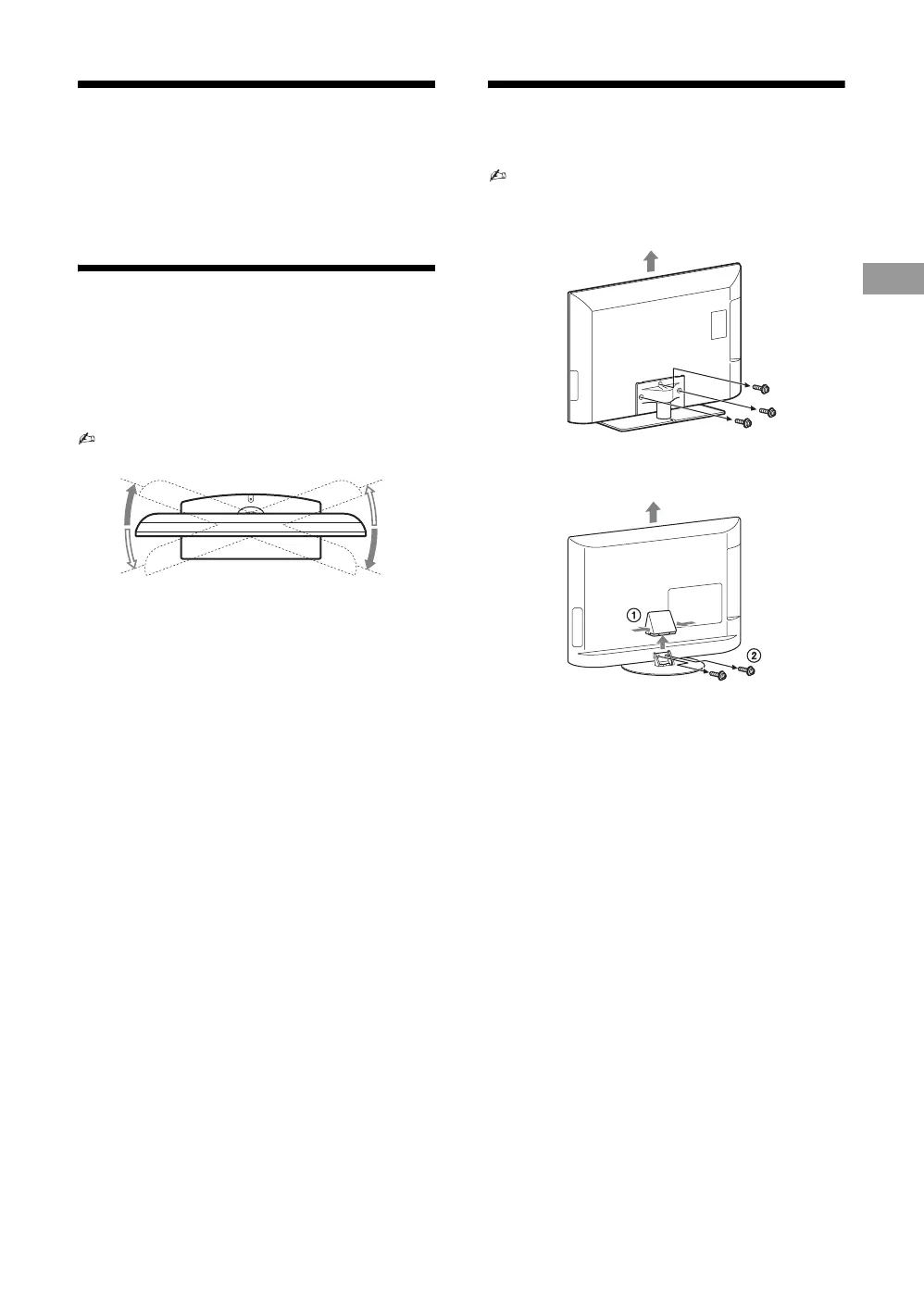
This TV can be adjusted within the angles
shown below.
• When adjusting the angle, hold the stand with one
hand to avoid having the stand slip or TV tip over.
Detaching the stand from the
TV
• Do not remove the stand for any reason other than to
wall-mount the TV.
B KLV-42EX410/KLV-32EX310
B KLV-22EX310
20°
20°
20°
20°




 To Next Page