EasyManua.ls Logo

Sony BVE-600 - Page 37

Sony BVE-600
37 pages
Print Icon
To Previous Page IconTo Previous Page
Loading...
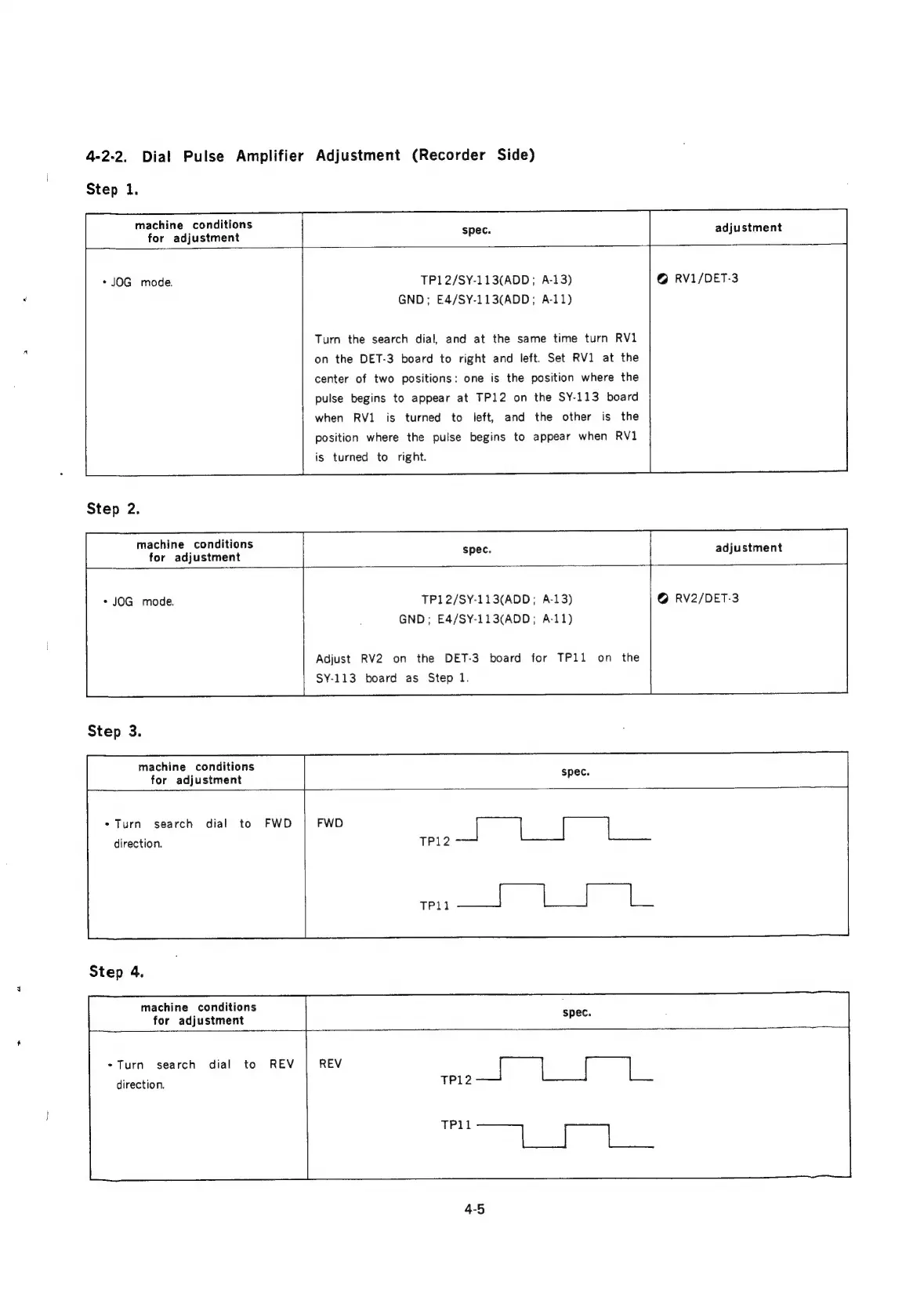
4-2-2.
Dial
Pulse
Amplifier
Adjustment
(Recorder
Side)
Step
1.
machine
conditions
for
adjustment
adjustment
*JOG
mode.
Step
2.
machine
conditions
for
adjustment
TP12/SY-113(ADD;
A-13)
GND;
E4/SY-113(ADD;
A-11)
Turn
the
search
dial,
and
at
the
same
time
turn
RV1
on the
DET-3
board
to
right
and
left.
Set
RV1
at
the
center
of
two
positions:
one
is
the
position
where
the
pulse
begins
to
appear
at
TP12
on
the
SY-113
board
when
RV1
left,
and
the
other
is
the
position
where
the
pulse
begins
to
appear
when
RV1
is
turned
to
is
turned
to
right.
©
RV1/DET-3
adjustment
-
JOG
mode.
Step
3.
machine
conditions
for
adjustment
TP12/SY-113(ADD;
A-13)
GND;
E£4/SY-113(ADD;
A-11)
Adjust
RV2
on
the
DET-3
board
for
TP11
on
the
SY-113
board
as
Step
1.
@
RV2/DET-3
*
Turn
search
dial
to
direction.
Step
4.
machine
conditions
for
adjustment
FWD
*Turn
search
dial
to
direction.
REV
4-5

Related product manuals