EasyManua.ls Logo

Sony BVE-600 - 1-4-4, Setting of the System Select Circuit

Sony BVE-600
37 pages
Print Icon
To Next Page IconTo Next Page
To Previous Page IconTo Previous Page
Loading...
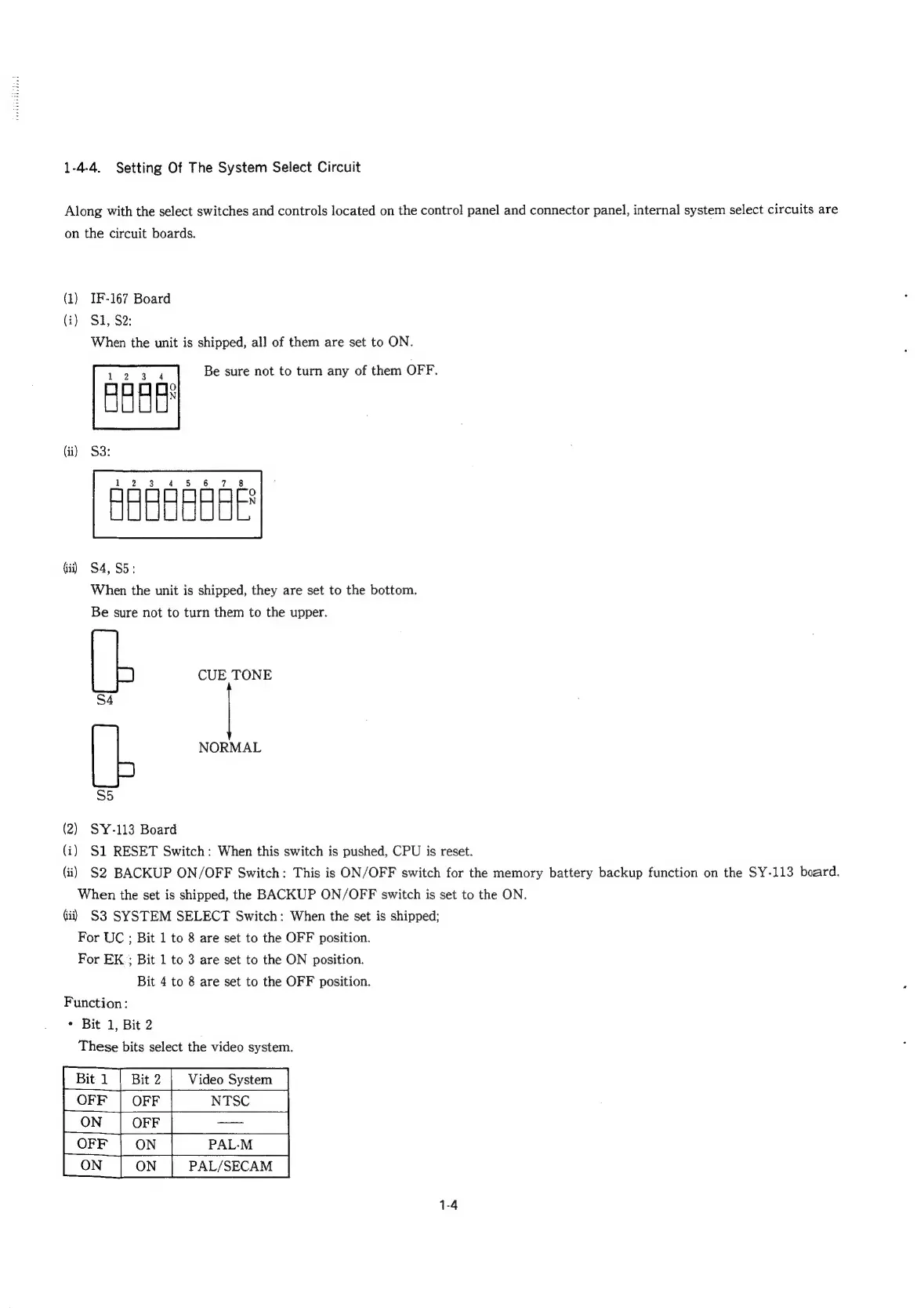
1-4-4.
Setting
Of
The
System
Select
Circuit
Along
with
the
select
switches
and
controls
located
on
the
contro!
panel
and
connector
panel,
internal
system
select
circuits
are
on
the
circuit
boards.
(1)
IF-167
Board
(i)
SI,
S2:
When
the
unit
is
shipped,
all
of
them
are
set
to
ON.
Be
sure
not
to
turn
any
of
them
OFF.
ABEES
Gi)
S4,S5:
When
the
unit
is
shipped,
they
are
set
to
the
bottom.
Be
sure
not
to
turn
them
to
the
upper.
CUE
TONE
S4
NORMAL
S5
(2)
SY-113
Board
(i)
S1
RESET
Switch:
When
this
switch
is
pushed,
CPU
is
reset.
(ii)
S2
BACKUP
ON/OFF
Switch:
This
is
ON/OFF
switch
for
the
memory
battery
backup
function
on
the
SY-113
board.
When
the
set
is
shipped,
the
BACKUP
ON/OFF
switch
is
set
to
the
ON.
Gi)
S3
SYSTEM
SELECT
Switch:
When
the
set
is
shipped;
For
UC
;
Bit
1
to
8
are
set
to
the
OFF
position.
For
EK
;
Bit
1
to
3
are
set
to
the
ON
position.
Bit
4
to
8
are
set
to
the
OFF
position.
Function:
*
Bit
1,
Bit
2
These
bits
select
the
video
system.
Bit
1
|
Bit
2
Video
System
OFF
|
OFF
NTSC
PALM
PAL/SECAM
1-4

Related product manuals