r
..:1
0
1-
3-4
. Operating precautions
1) Blinking
of
POWER or
INPUT
LEVEL
lamps
If
the temperature ins
id
e
the
BVT-
2000
rises
to
an abnor·
mally high level, then
the
above lamps will blink. Operation
under these conditions
can
lead
to
equipment
fa
ilure.
Immediately carry out the following inspection:
• Check for a high ambi
ent
temperature.
• Check the rear fan grille, and ensure
th
at
it is n
ot
blocked
with dust.
• Check the vent
il
ator fan to see if it is rotating properl
y.
• Check the insta
ll
ation location for abnormaliti
es.
I
f,
after checking and inspection for faults and mal
fu
n
c-
tion
s,
the cause
of
the temperature rise cannot be pin·
po
inted, switch
off
th
e power immediately and consult the
Sony broadcasting services.
2)
Inserting and removing the printed circuit
boa
r
ds
As
a rule, avoid inserting and removing the printed circuit
boards. However, wh
en
such an
•opera
tion is abso
lu
tely
necessary, observe the following i
mportant
points.
• Always make sure
that
the power is
off
when
in
serting and
removing the boards.
•
Wh
en inse
rt
ing
the
boards, always check that their slot
number
(at
the
bottom
of
the frame) tallies with the board
number (grip section), and always
in
se
rt in the proper
location.
• Before turning on the power, check the position
of
the
boards for a second time.
If
the above
in
structions are
not
fo
ll
owed, the c
ir
cuitry
may be dama
ge
d.
1-5
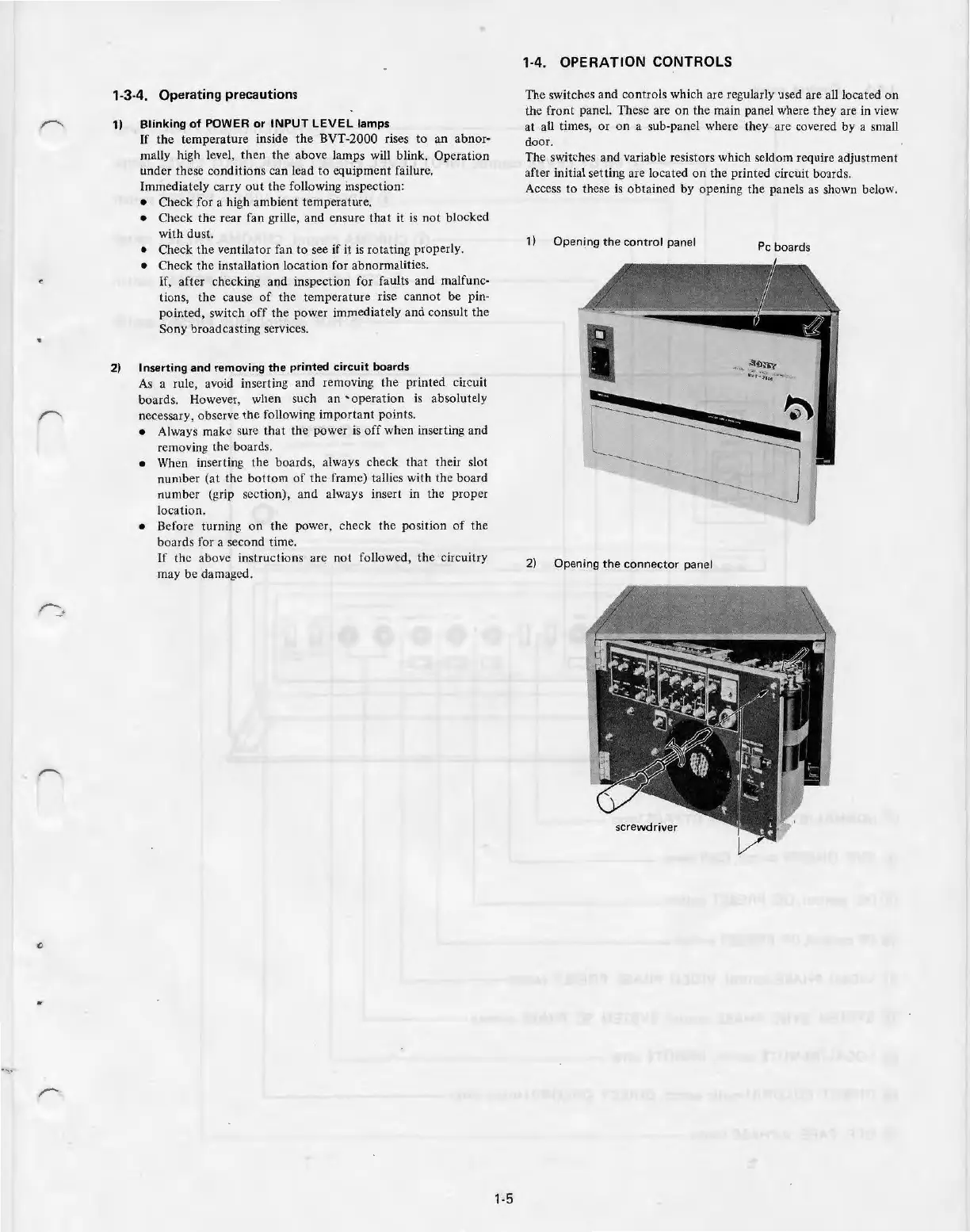
1-4. OPERATION CONTROLS
Th
e switches and co
nt
rols which are regularly used are a
ll
located
on
the front panel. These are on the main panel where they are in view
at all times,
or
on a sub-panel where they are covered by a small
door.
The switches and variable resistors which seldom require adjustment
af
t
er
initial setting are located on the printed circuit boards.
Access
to
these is
obta
in
ed
by
opening
the
panels as shown below.
1) Openi
ng
th
e control panel
Pc boards
2) Opening
the
connector panel



 To Next Page