35
Advanced Operations
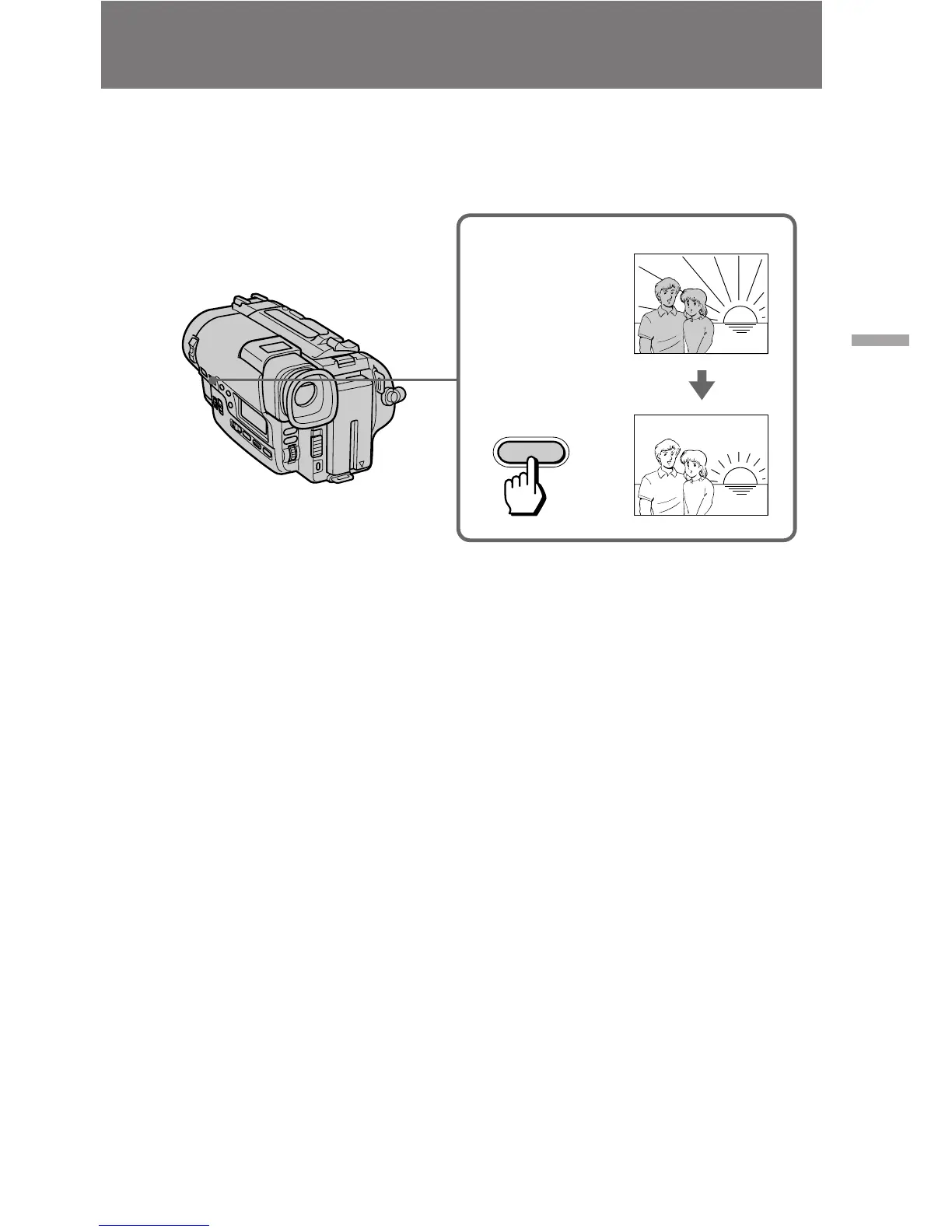
Shooting with backlighting
[a] Subject is too dark because of backlight.
[b] Subject becomes bright with backlight compensation.
After shooting
Be sure to release this adjustment condition by pressing BACK LIGHT again. The c
indicator disappears. Otherwise, the picture will be too bright under normal lighting
condition.
This function is also effective under the following conditions:
•On snow, e.g. at a ski resort
•At the beach under strong sunshine
•A subject with a light source nearby or a mirror reflecting light
•A white subject against a white background. Especially when you shoot a person
wearing shiny clothes made of silk or synthetic fiber, his or her face tends to become
dark if you do not use this function.
To make a fine adjustment
You can adjust the exposure manually. However, when you adjust the exposure
manually, BACK LIGHT does not operate.
When you shoot a subject with the light source behind the subject or a subject with a
light background, use the BACK LIGHT function.
Press BACK LIGHT. The c indicator appears in the viewfinder.
[a]
[b]
BACK LIGHT
c





 To Next Page