45
Advanced Operations
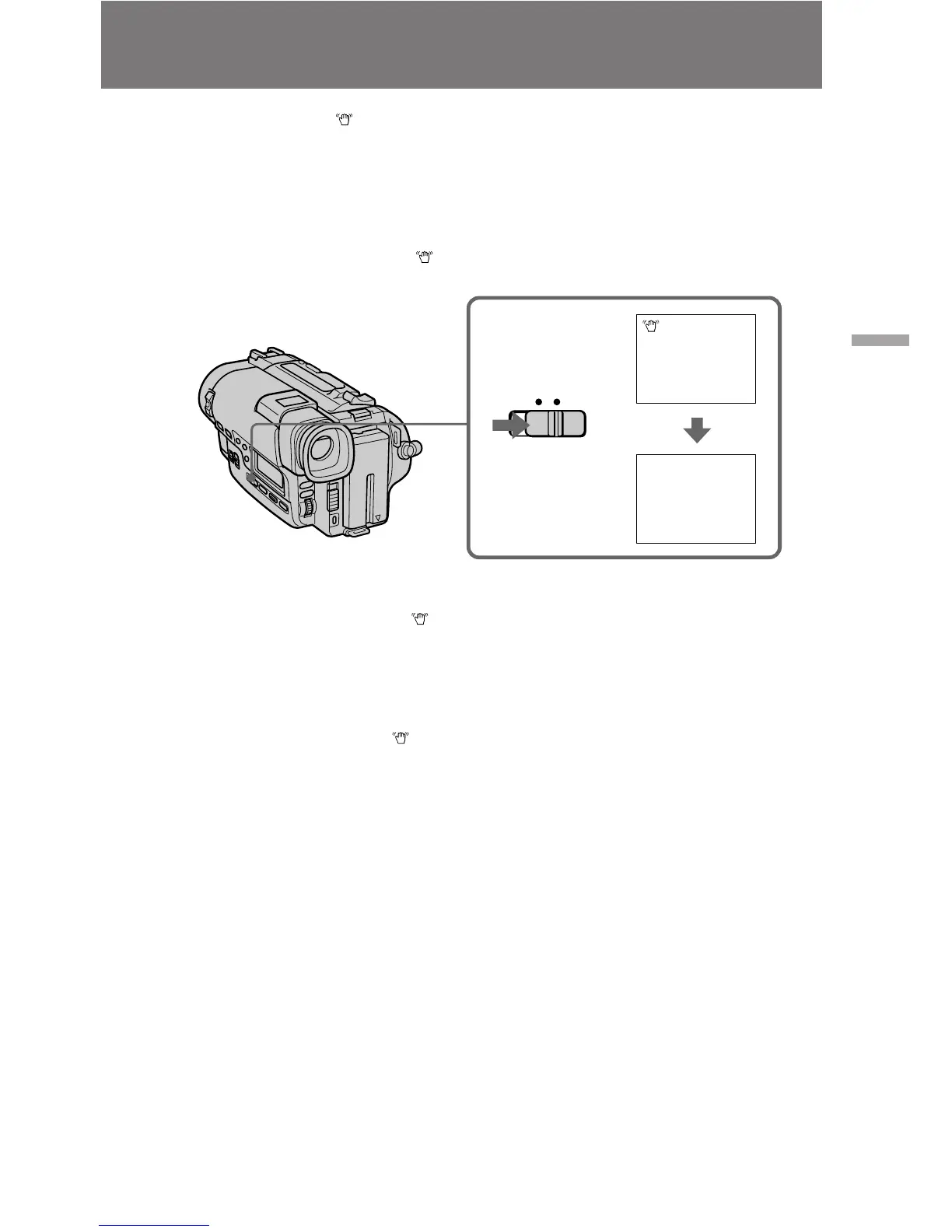
Releasing the STEADY SHOT function
When you shoot, the indicator appears in the viewfinder. This indicates that the
Steady Shot function is working and the camcorder compensates for camera-shake.
You can release the Steady Shot function when you do not need to use the Steady Shot
function. Do not use the Steady Shot function when shooting a stationary object with a
tripod.
Set STEADY SHOT to OFF. The indicator goes off.
To activate the Steady Shot function again
Set STEADY SHOT to ON. The indicator appears in the viewfinder.
Notes on the Steady Shot function
•The Steady Shot function will not correct excessive camera-shake.
•When you switch the Steady Shot function on or off, the exposure may fluctuate.
•Steady Shot does not operate when you select the 16:9 FULL mode. If you set
STEADY SHOT to ON, the indicator flashes.
ON OFF
STEADY SHOT











 To Next Page