41
Advanced Operations
Recording with the date/time
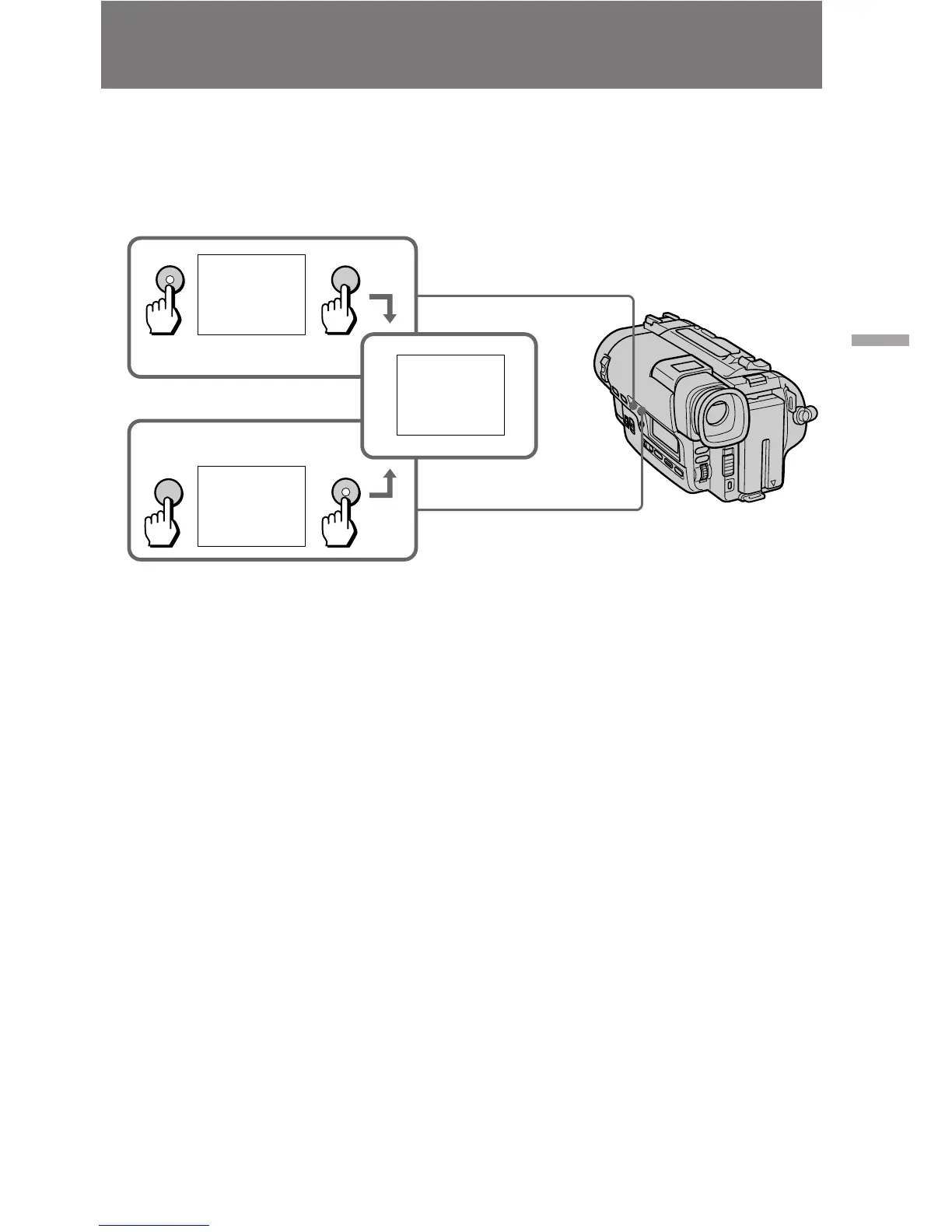
Before you start recording or during recording, press DATE or TIME. You can record
the date or time displayed in the viewfinder with the picture. Press DATE (or TIME),
then press TIME (or DATE) to display date and time together.
The clock is already set to East Coast Standard Time at the factory. You can reset the
clock in the menu system.
To stop recording with the date and/or time
Press DATE and/or TIME again. The date and/or time indicator disappears. The
recording continues.
Note on the date or time indicator
If you press DATE or TIME while you are recording in CINEMA mode, the indicators
in the viewfinder move upwards.
JUL 4 1997
5:30:00 PM
DATE
DATE
TIME
TIME
5:30:00 PM
JUL 4 1997


 To Next Page