14
Camera recording
To extend the recording time in 5SEC mode
Press START/STOP again before all the dots disappear. Recording continues for about
5 seconds from the moment you press START/STOP.
Notes on START/STOP mode
• If you have turned off the indicators on the LCD screen, the dots do not appear.
• You cannot use FADER in 5SEC or mode.
2
1
3
STBY
0:00:00
REC
• • • • •
REC
•
5SEC
START/STOP
MODE
ANTI GROUND
SHOOTING
START/STOP
L
O
C
K
S
T
A
N
D
B
Y
START/STOP
L
O
C
K
S
T
A
N
D
B
Y
Selecting the START/STOP mode
Your camcorder has two modes besides normal start/stop mode. These modes enable
you to take a series of quick shots resulting in a lively video.
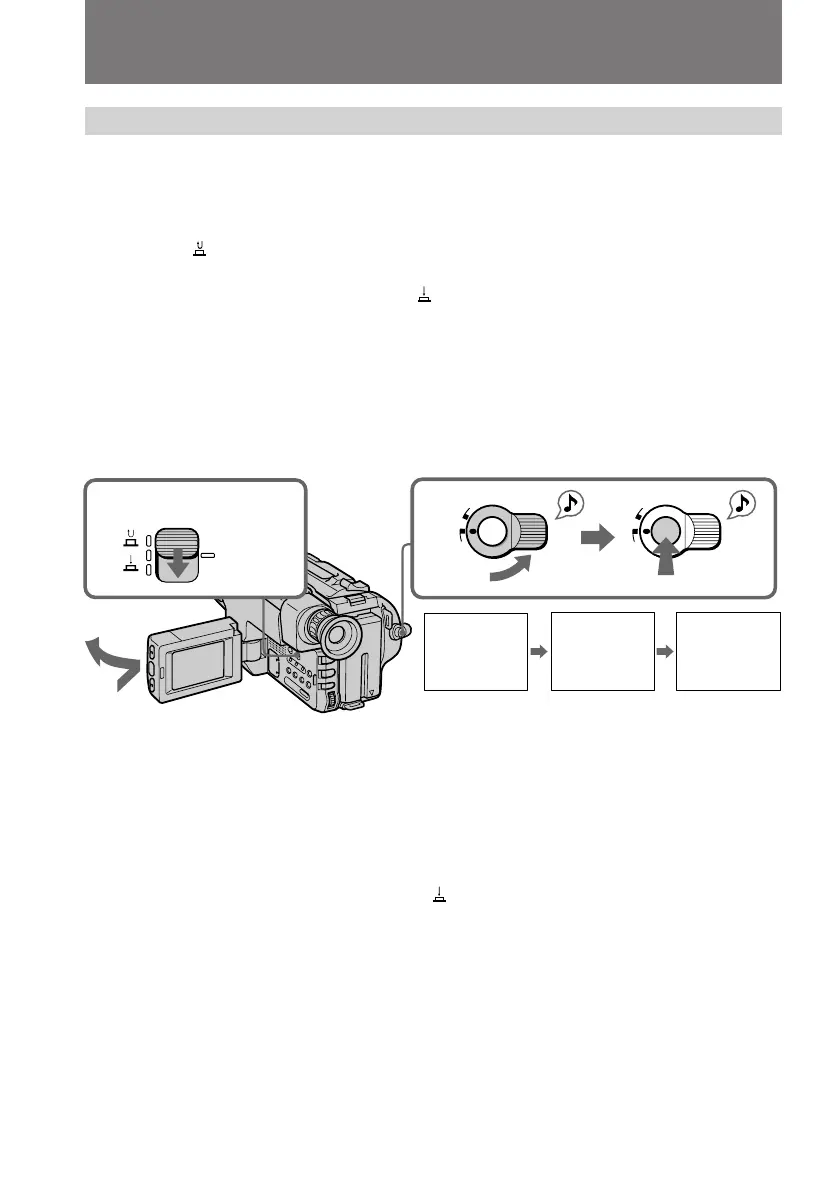
(1) While pressing OPEN, open the LCD panel.
(2) Set START/STOP MODE to the desired mode.
: Recording starts when you press START/STOP, and stops when you
press it again (normal mode).
ANTI GROUND SHOOTING
: The camcorder records only while you
press down START/STOP so that you can avoid recording unnecessary scenes.
5SEC: When you press START/STOP, the camcorder records for 5 seconds and
then stops automatically.
(3) Turn STANDBY up to STANDBY and press START/STOP. Recording starts.
If you selected 5SEC, the remaining tape indicator disappears and five dots appear. The
dots disappear at a rate of one per second as illustrated below.



 To Next Page