43
Advanced operations
1
2
3
WHITE
YELLOW
VIOLET
RED
CYAN
GREEN
BLUE
1
2
1
2
CENTER
BOTTOM
MENU
TITLE POS
[MENU]: END
CENTER
BOTTOM
MENU
TITLE POS
[MENU]: END
MENU
TITLE COL
[MENU]: END
GREEN
MENU
WIND
COMMANDER
ORC TO SET
REC MODE
TITLE COL
TITLE POS
TITLE1 SET
[MENU]: END
WHITE
YELLOW
VIOLET
RED
CYAN
GREEN
BLUE
MENU
TITLE COL
[MENU]: END
TITLE COL TITLE POS
WHITE
MENU
WIND
COMMANDER
ORC TO SET
REC MODE
TITLE COL
TITLE POS
TITLE1 SET
[MENU]: END
CENTER
MENU
WIND
COMMANDER
ORC TO SET
REC MODE
TITLE COL
TITLE POS
TITLE1 SET
[MENU]: END
BOTTOM
MENU
WIND
COMMANDER
ORC TO SET
REC MODE
TITLE COL
TITLE POS
TITLE1 SET
[MENU]: END
MENU
SEL/
PUSH
EXEC
SEL/
PUSH
EXEC
SEL/
PUSH
EXEC
SEL/
PUSH
EXEC
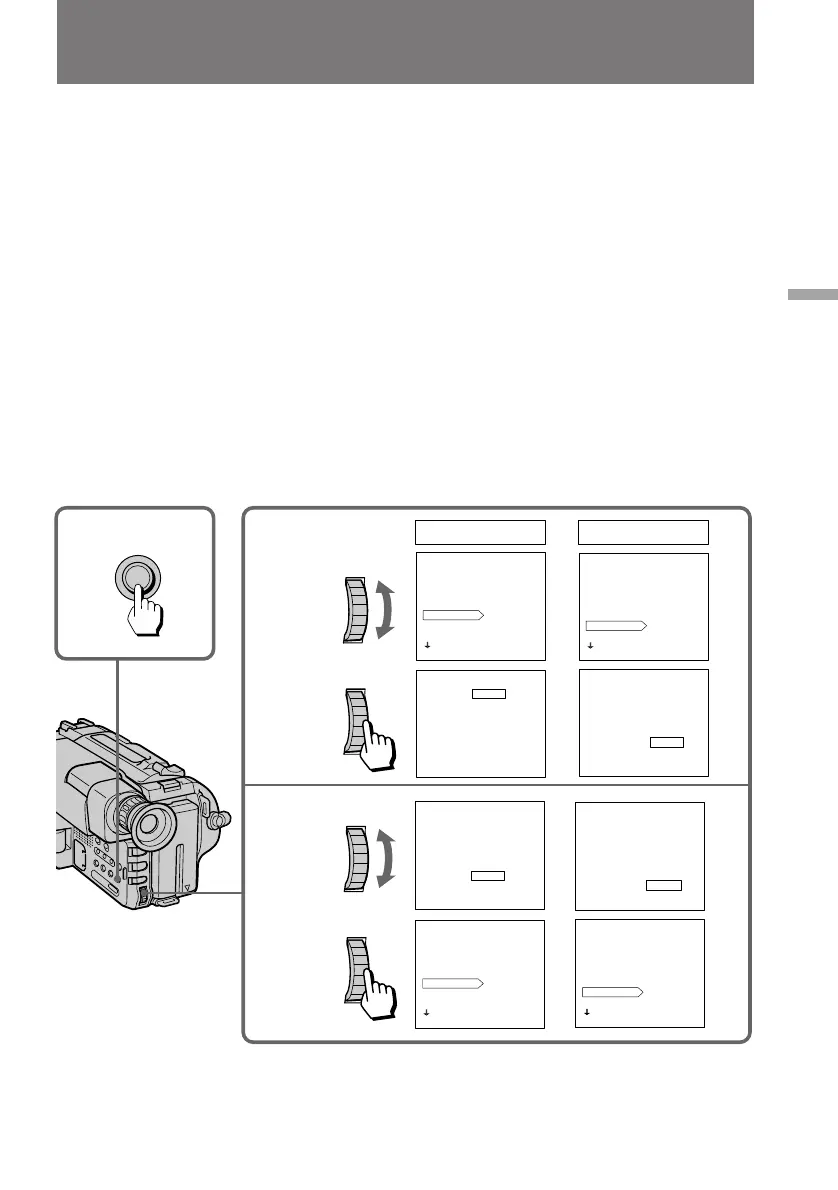
To select the colour of the title
(1) While the camcorder is in Standby mode, press MENU to display the menu.
(2) Turn the control dial to select TITLE COL, then press the dial.
(3) Turn the control dial to select the desired colour, then press the dial.
You can chose from the following 7 colours:
WHITE ˜ YELLOW ˜ VIOLET ˜ RED ˜ CYAN ˜ GREEN ˜ BLUE
(4) Press MENU to erase the menu display.
To select the position of the title
(1) While the camcorder is in Standby mode, press MENU to display the menu.
(2) Turn the control dial to select TITLE POS, then press the dial.
(3) Turn the control dial to select the desired position (CENTER or BOTTOM),
then press the dial.
(4) Press MENU to erase the menu display.
Superimposing a title



 To Next Page