65
Additional information
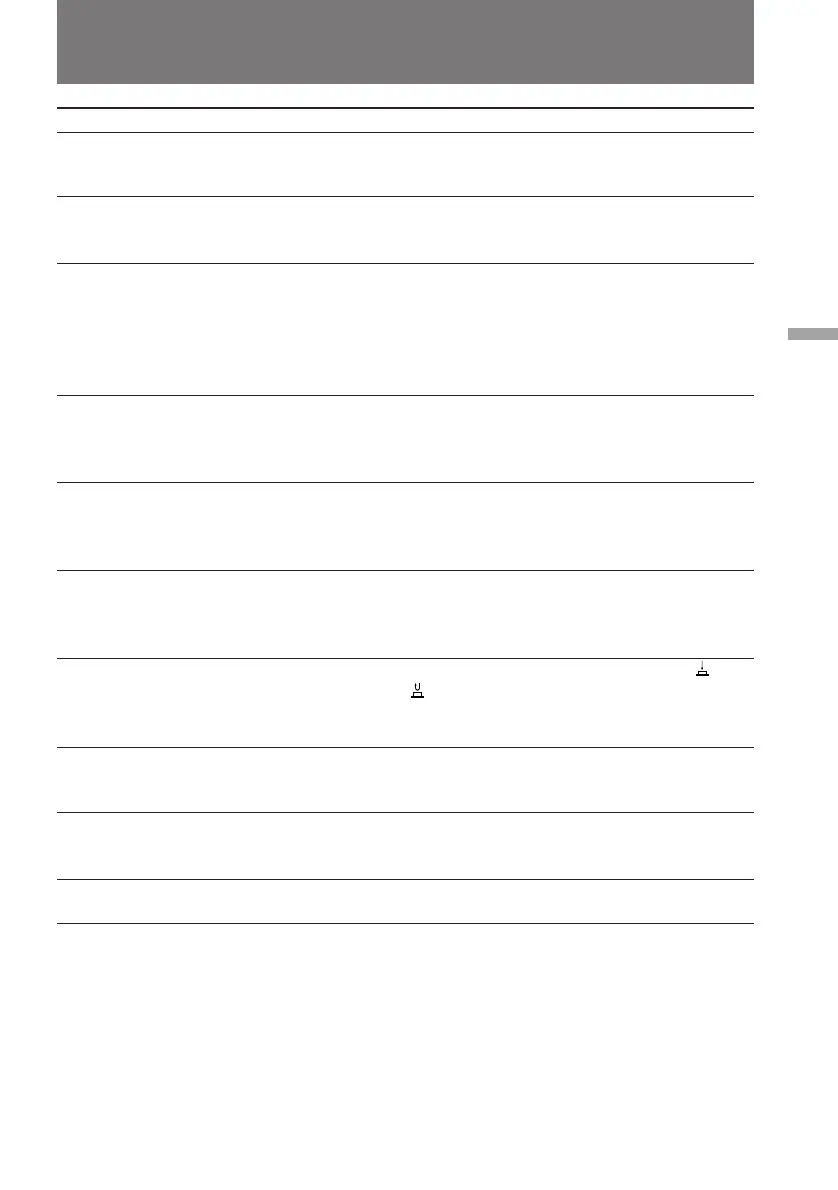
Symptom
The cassette cannot be removed
from the holder.
{ and 6 indicators flash and no
function except for cassette
ejection works.
The date or time indicator is
flashing.
The tape does not move when a
video control button is pressed.
The Steady Shot function does not
activate.
The autofocusing function does
not work.
The fader function does not work.
No sound or only a low sound is
heard when playing back a tape.
Excessive high-pitched sound is
heard.
The date or time indicator
disappears.
Cause and/or Corrective Action
• The battery is dead.
m Use a charged battery pack or the AC power adaptor.
(p. 6, 24)
• Moisture condensation has occurred.
m Remove the cassette and leave the camcorder for at least
1 hour. (p. 58)
• You pressed DATE and TIME together for more than 2
seconds.
m The camcorder is not malfunctioning. You may start
recording. Flashing will stop soon.
• The lithium battery is weak or dead.
m Replace the lithium battery with a new one. (p. 52)
• The POWER switch is set to CAMERA or OFF.
m Set it to VTR.
• The tape has run out.
m Rewind the tape or use a new one. (p. 20)
• STEADY SHOT is set to OFF.
m Set STEADY SHOT to ON. (p. 41)
• The Steady Shot function does not work when the wide
mode is set to 16:9 FULL.
• FOCUS is set to MANUAL.
m Set it to AUTO. (p. 35)
• Shooting conditions are not suitable for autofocus.
m Set FOCUS to MANUAL to focus manually. (p. 35)
• The START/STOP MODE switch is set to 5SEC or .
m Set it to . (p. 14)
• A title is displayed.
m Stop superimposing the title. (p. 42)
• The stereo tape is played back with HiFi SOUND set to 1
or 2 in the menu system.
m Set to STEREO in the menu system. (p. 29)
• The picture has been recorded with WIND set to ON in the
menu system.
m When there is no wind, set it to OFF. (p. 27)
• Reset the date and time. (p. 53)
Trouble check
(to be continued)



 To Next Page