85
Additional Information
Maintenance information
Cleaning the LCD screen
If fingerprints or dust make the LCD screen dirty, we recommend using a LCD
Cleaning Kit (optional) to clean the LCD screen.
Cleaning the video head
To ensure normal recording and clear pictures, clean the video heads.
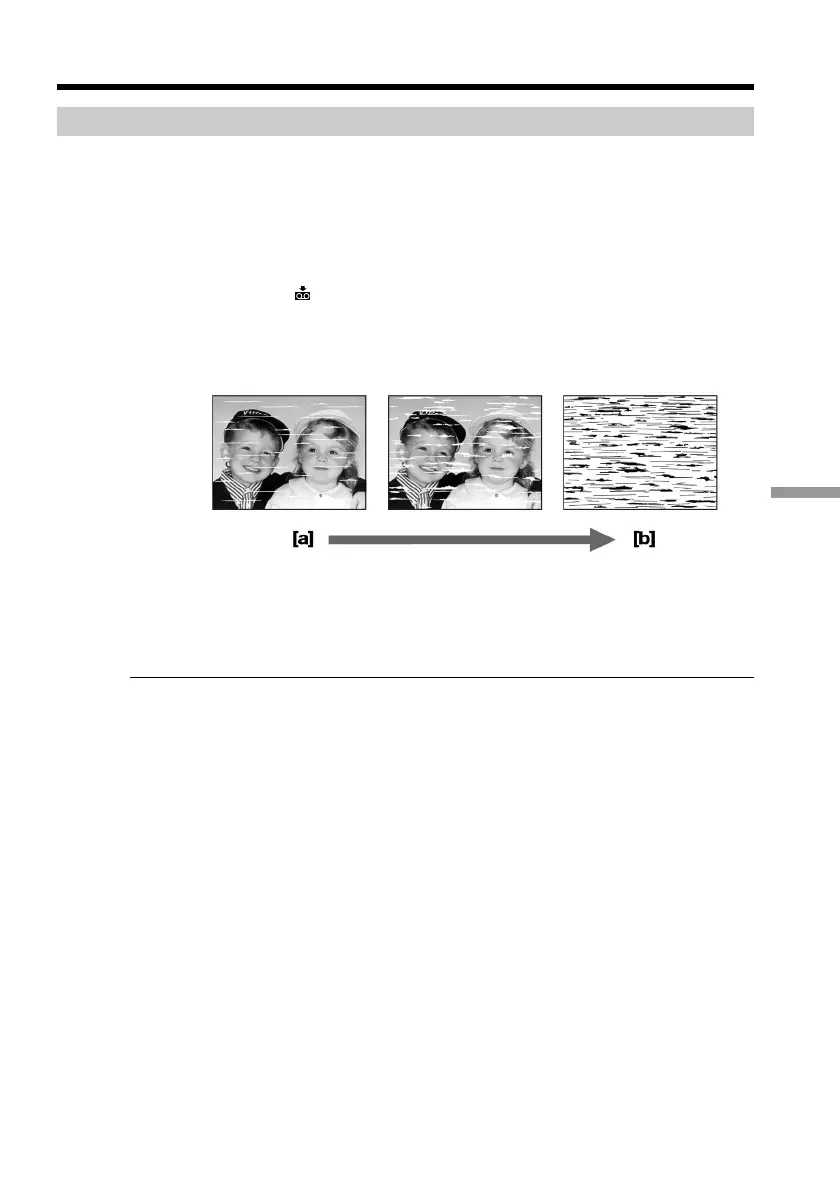
The video head may be dirty when:
– the x indicator and “ CLEANING CASSETTE” message appear one after another
on the screen or the x indicator flashes on the screen.
– playback pictures contain noise.
– playback pictures are hardly visible.
– playback pictures do not appear.
[a] Slightly dirty
[b] Very dirty
If the above problem occurs, clean the video heads with the Sony V8-25CLD cleaning
cassette (optional). Check the picture and if the above problem persists, repeat cleaning.
Note on video heads
When the playback pictures still contain noise even if you have cleaned the video heads
with a cleaning cassette, the video heads may have worn down due to long use. If this is
the case, they must be replaced with new heads. Contact your Sony dealer or local
authorized Sony service facility.
Maintenance information and precautions


 To Next Page
 Loading...










