EasyManua.ls Logo

Sony CDP-X339ES - Page 33

Sony CDP-X339ES
40 pages
Print Icon
To Next Page IconTo Next Page
To Previous Page IconTo Previous Page
Loading...
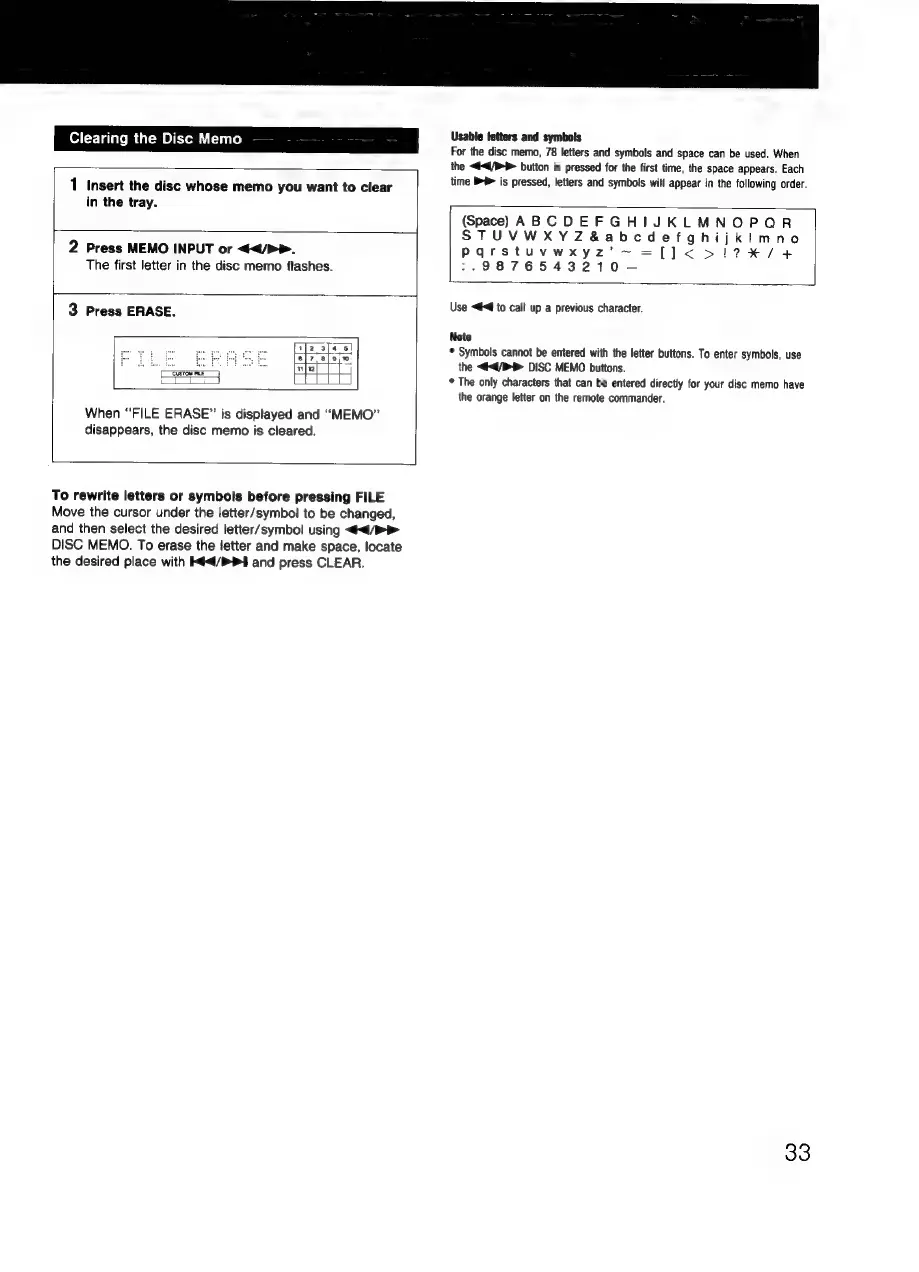
Clearing
the
Disc
Memo
1
Insert
the
disc
whose
memo
you
want
to
clear
in
the
tray.
2
Press
MEMO
INPUT
or
</P>.
The
first
letter
in
the
disc
memo
flashes.
3
Press
ERASE.
a
HE
When
“FILE
ERASE”
is
displayed
and
“MEMO”
disappears,
the
disc
memo
is
cleared.
To
rewrite
letters
or
symbols
before
pressing
FILE
Move
the
cursor
under
the
letter/symbol
to
be
changed,
and
then
select
the
desired
letter/symbol
using
</>
DISC
MEMO.
To
erase
the
fetter
and
make
space,
locate
the
desired
place
with
4/1
and
press
CLEAR.
Usable
tetters
and
symbols
For
the
disc
memo,
78
letters
and
symbols
and
space
can
be
used.
When
the
<4<4/P
button
is
pressed
for
the
first
time,
the
space
appears.
Each
time
>
is
pressed,
letters
and
symbols
will
appear
in
the
following
order.
(Space)
ABCDEFGHIJKLMNOPQR
STUVWXYZ&abcdefghijkimno
Pqrstuvwxyz’~
=[])<
>!1?7%/4
>.9876543210—-—
Use
<€€
to
call
up
a
previous
character.
Note
©
Symbols
cannot
be
entered
with
the
letter
buttons.
To
enter
symbols,
use
the
</>
DISC
MEMO
buttons.
*
The
only
characters
that
can
be
entered
directly
for
your
disc
memo
have
the
orange
letter
on
the
remote
commander.
33