•
16
Channel list
• Recommended, Shuffle All
"MORNING" (5:00 AM - 9:59 AM)
"DAYTIME" (10:00 AM - 3:59 PM)
"EVENING" (4:00 PM - 6:59 PM)
"NIGHT" (7:00 PM -
11
:59 PM)
"MIDNIGHT" (12:00 AM - 4:59 AM)
Tracks recommended for each time
of
day.
Set the clock (page 6) for the channel to be
displayed accurately.
"SHUFFLE ALL": Plays all analyzed tracks in
random order.
• Basic channels
Plays tracks according to the music type.
"ENERGETIC": High-spirit tracks.
"RELAX": Calm tracks.
"MELLOW": Mellow, melancholy tracks.
"UPBEAT": Happy tracks to improve your
mood.
"EMOTIONAL": Ballad tracks.
"LOUNGE": Lounge music.
"DANCE": Rhythm and rap, rhythm and blues
tracks.
"EXTREME": Intense rock tracks.
•
In-car
channels
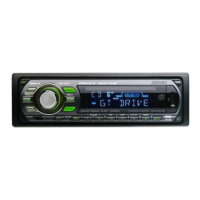
Plays tracks that are suitable while driving.
"FREEWAY": Speedy, high-spirit tracks.
"CHILLOUT DRIVE": Intoned, healing ballad
tracks.
"WEEKEND TRIP": Delightful, bright and
happy tracks.
"MIDNIGHT CRUISE": Jazz or piano-featured
tracks with mature mood.
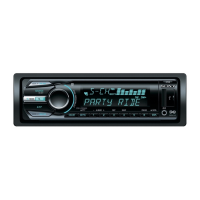
"PARTY RIDE": Up-tempo and alive tracks.
"MORNING COMMUTE": Bright and breezy
tracks.
"GOIN' HOME": Warm and relaxing tracks.
iPod
For details on the compatibility
of
your iPod, see
"About iPod" (page 26) or visit the support site.
In these Operating Instructions, "iPod" is used as
a general reference for the iPod functions
on
the
iPod and iPhone, unless otherwise specified
by
the text or illustrations.
Support
site
http://esupport.sony.com
http://www.sony.com/mobileAV
Playing
back
iPod
Before connecting the iPod, tum down the
volume
of
the unit.
1 Slide the USB cover.
2 Connect
the
iPod
to
the
USB
connector
via
the
dock
connector
to
USB cable.
The iPod will turn on automatically, and the
display will appear on the iPod screen as
below.
*
Tip
We
recommend the RC-1001P USB cable (not
supplied)
to
connect the dock connector.
The tracks on the iPod start playing
automatically from the point last played.



 To Next Page