24
Basic operations of DAB
Searching for the Ensemble and
Service
— Automatic Tuning
1 Press (SOURCE) repeatedly to select the
tuner.
2 Press (MODE) repeatedly to select
“DAB.”
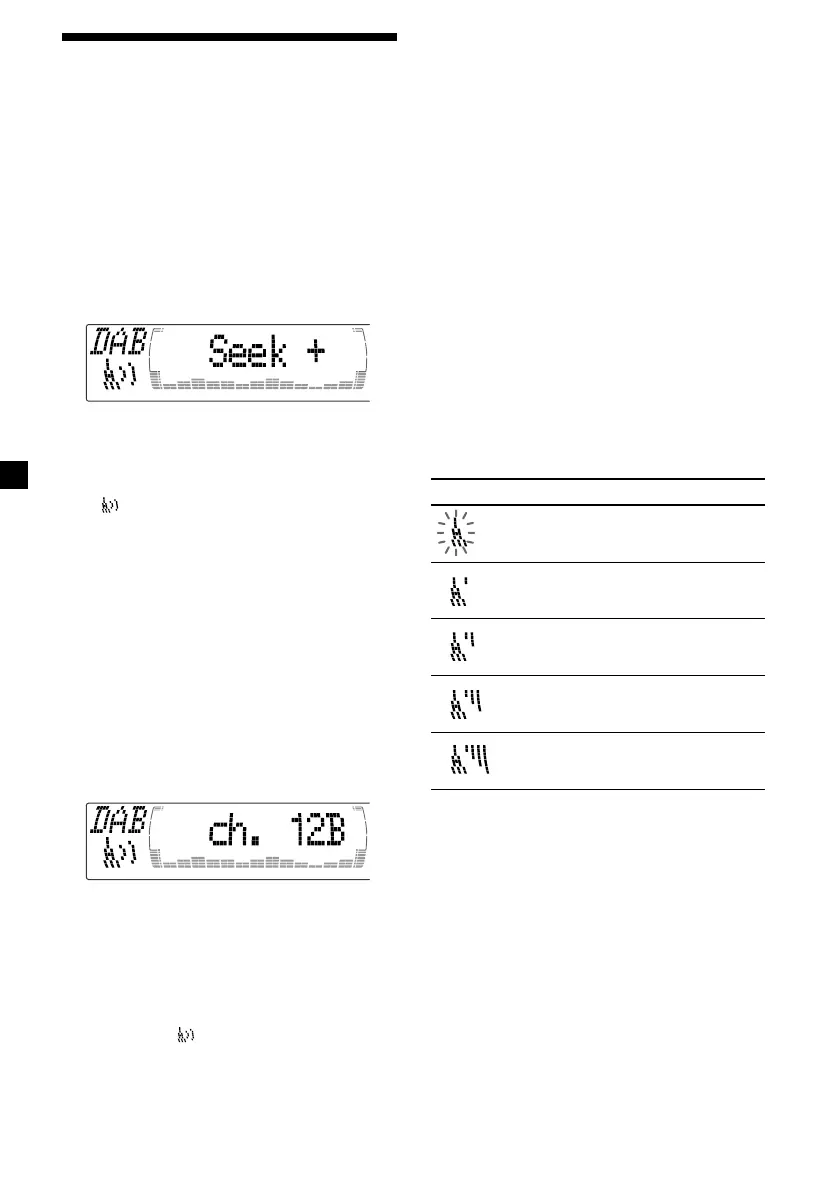
3 Press and hold < or , until “Seek +” or
“Seek –” appears.
4 Press < or , to search the desired
service.
Note
The “
” indication flashes while the unit is
searching for the Ensemble.
Selecting the Ensemble
— Manual Tuning
If you know the channel number of Ensemble,
follow the procedure below to tune in.
1 Press (SOURCE) repeatedly to select the
tuner.
2 Press (MODE) repeatedly to select
“DAB.”
3 Press M or m until “Ch. XXX” appears.
4 Press M or m repeatedly until the desired
channel number appears.
Tips
• More than one channel may broadcast the same
Ensemble.
• If you select the Ensemble service but cannot
receive it, the “
” indication flashes.
Receiving the memorised services
Following procedure is available after
presetting the service. For details on presetting
the services, refer to “Presetting DAB services
automatically,” (page 25) and “Presetting DAB
services manually” (page 25).
1 Press (SOURCE) repeatedly to select the
tuner.
2 Press (MODE) repeatedly to select
“DAB.”
3 Press M or m repeatedly to select the
preset service.
Tip
There is another way to receive the preset service.
Press the number buttons ((1) to (6)) of the unit
on which the desired service is stored.
The receiving mode of the DAB tuner is
displayed according to the chart below:
Indication Level Receive mode
(flash) 0 cannot receive
1 poor reception
2 so-so
3 moderate
4 good reception



 To Next Page