30
Level
Frequency (Hz)
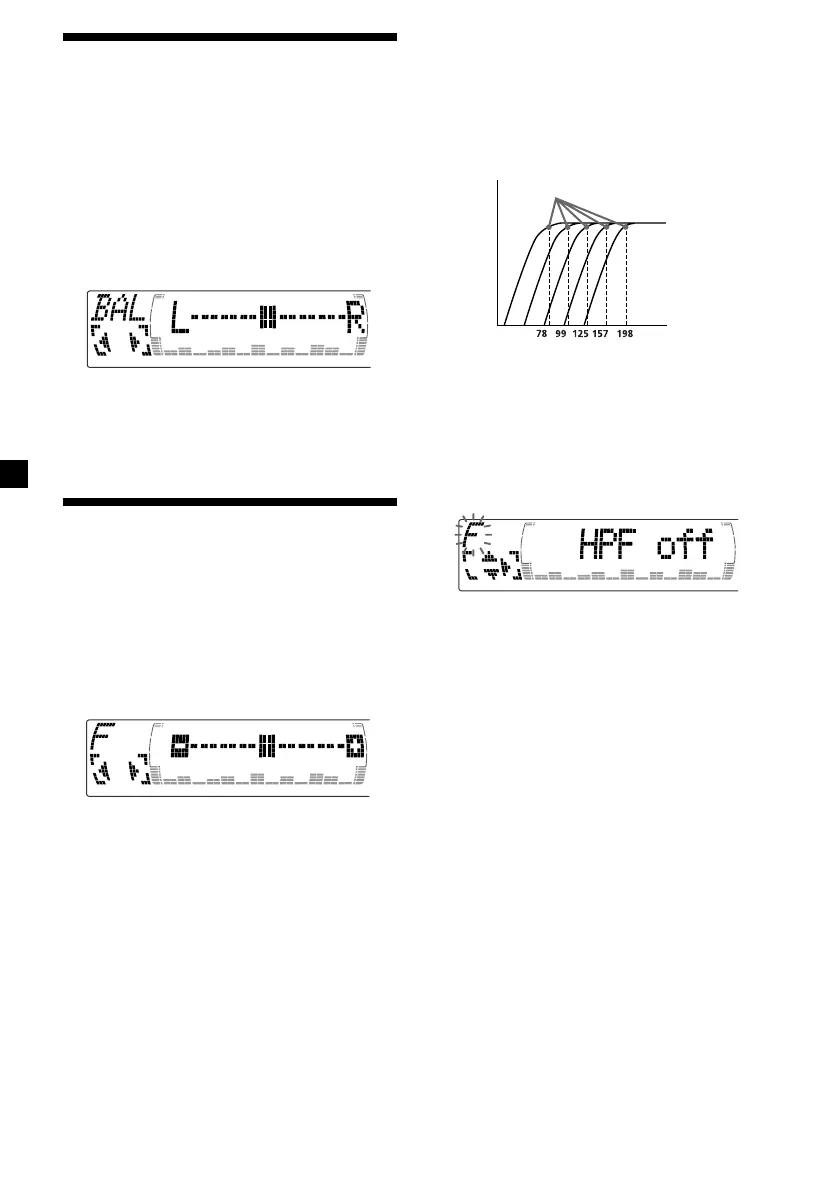
Adjusting the cut-off frequency
and the output volume level for
the front/rear speakers
To match the characteristics of the installed
speaker system, you can adjust the output
volume level and select the cut-off frequency
of the speakers.
1 Press (MENU).
2 Press M or m repeatedly to select “Front
HPF” or “Rear HPF”
3 Press (ENTER).
4 Press < or , to select the cut-off
frequency.
off y 78 Hz y 99 Hz y 125 Hz y 157 Hz y
198 Hz
5 Press M or m to adjust the volume level.
The volume is adjustable by 1 dB steps
from –12 dB to +12 dB.
Tip
When you lower the volume all the way down,
“ATT” appears and the cut-off frequency is
disabled.
6 Press (MENU) twice.
When the effect setting is complete, the
normal playback mode appears.
Cut-off frequency
Adjusting the balance
(BAL)
You can adjust the sound balance from the left
and right speakers.
1 Press (SOURCE) to select a source (tuner,
CD, or MD).
2 Press (SOUND) repeatedly until “BAL”
appears.
3 Press < or , to adjust the balance.
After three seconds, the display returns to
the normal playback mode.
Adjusting the front and
rear fader
1 Press (SOURCE) to select a source (tuner,
CD, or MD).
2 Press (SOUND) repeatedly to select the
“F” for the front speakers or “R” for the
rear speakers.
3 Press < or , to adjust the volume of
front/rear speakers.
After three seconds, the display returns to
the normal playback mode.



 To Next Page