6
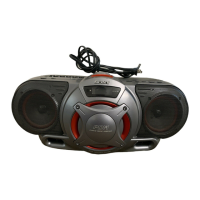
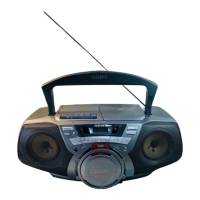
CFD-G550CP
8
Listening to the radio
Connect the supplied AC power cord (see page 23).
1 Press POWER to turn on the player.
2 Press RADIO BAND•AUTO
PRESET (BAND on the remote)
until the band you want appears in
the display.
Each time you press the button, the
indication changes as follows:
“FM” t “AM”.
3 Hold down TUNE + or – until the
frequency digits begin to change in
the display.
The player automatically scans the
radio frequencies and stops when it
finds a clear station.
If you can’t tune in a station, press
TUNE + or – repeatedly to change
the frequency step by step.
21
Display
Indicates an FM stereo
broadcast
3
Basic
Operations
9
Use these buttons for additional operations
Tip
If the FM broadcast is
noisy, press MODE until
“Mono” appears in the
display and radio will play
in monaural.
To Press
adjust the volume VOL +*, –
turn on/off the radio POWER
*VOL + has a tactile dot.
To improve broadcast reception
Reorient the antenna for FM. Reorient the player itself for
AM.
POWER
VOL +, –
MODE
for FM
for AM
10
Playing a tape
23
Display
Connect the supplied AC power cord (see page 23).
1 Press POWER to turn on the player.
2 Press xZ to open the tape
compartment and insert a recorded
tape. Close the compartment. Use
TYPE I (normal) tape only.
3 Press N*.
The player starts playing.
1
With the side you want
to play facing upward
Basic
Operations
11
Use these buttons for additional operations
To Press
adjust the volume VOL +*, –
stop playback xZ
fast-forward or rewind M or m
pause playback X
Press the button again to resume
play after pause.
eject the cassette xZ
turn on/off the player POWER
*VOL + and N have a tactile dot.
xZ
X
m, M
POWER
VOL +, –


 To Next Page