Basic Operations
13
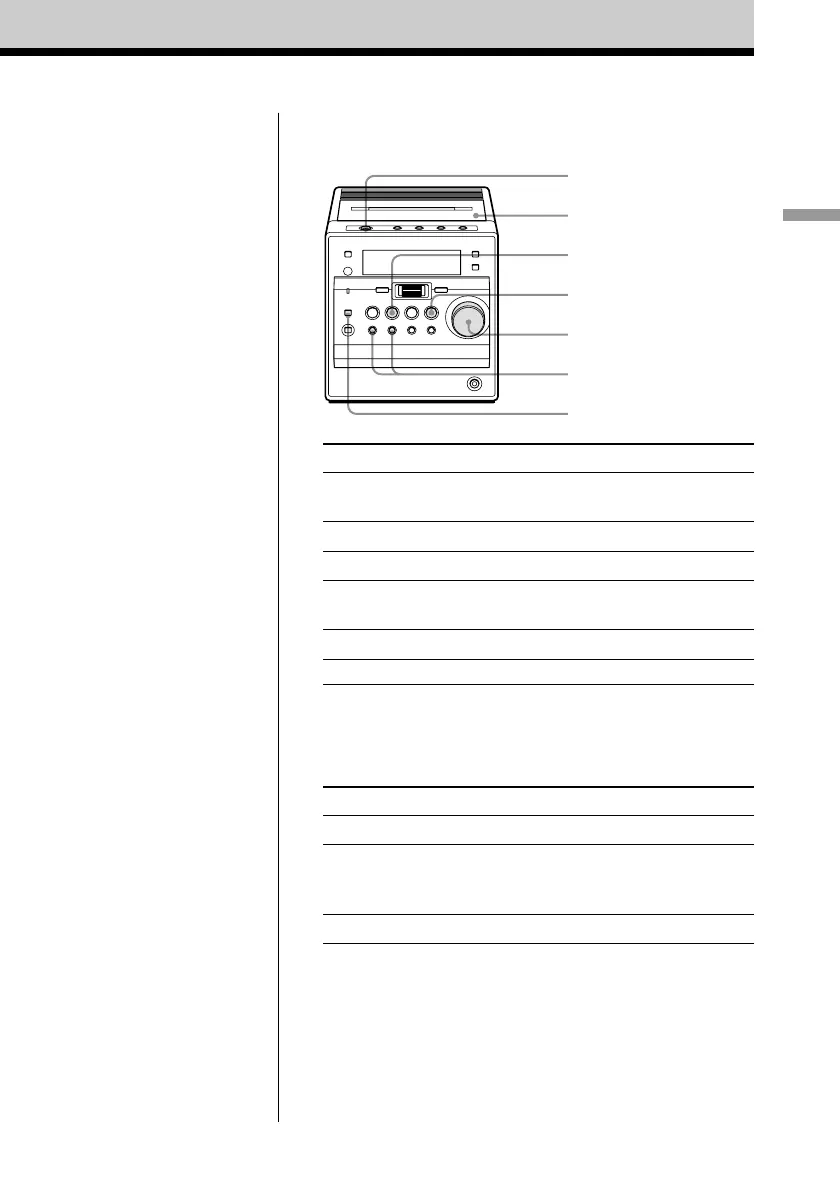
Use these buttons for additional operations
To Do this
adjust the volume Turn the VOLUME control.
(Press VOL +*, – on the remote.)
stop playback Press STOP x (x on the remote).
play the reverse side Press TAPE Y (Y on the remote).
fast-forward or rewind Press M/> or ./m.
the tape
eject the cassette Z PUSH OPEN/CLOSE.
turn on/off the player Press ?/1.
* The button has a tactile dot.
To select the direction mode of the tape
Press MODE/DIR repeatedly (MODE on the remote).
To play Display shows
one side of the tape g
both sides of the tape h
from the upper side to reverse
side
both sides of the tape repeatedly j
MODE/DIR
TAPE Y
STOP x
VOLUME
./m, M/>
Z PUSH OPEN/
CLOSE
?/1



 To Next Page