26
Changing the resume
play setting
The player is initially set to start playback
from the point you last stopped playing
(resume play) (see page 7).
You can cancel resume play and the player
always will start from the first track.
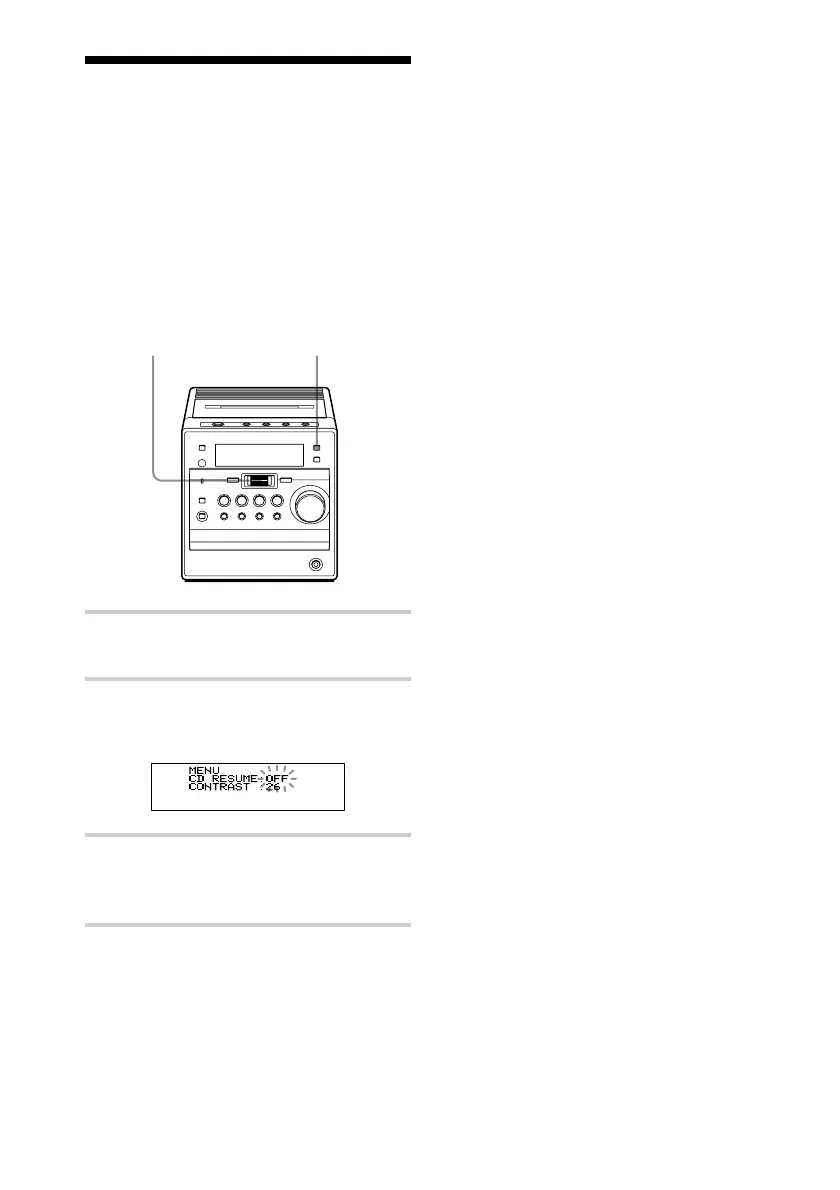
DISPLAY
1 Press DISPLAY when the player is
turned off.
2 Turn the jog dial to select “CD
RESUME OFF”.
“OFF” flashes on the display.
3 Press the jog dial to enter the selection.
To go back to the clock display, press
the jog dial again.
To reset the resume play
function
In step 2 above turn the jog dial until “CD
RESUME ON” appears and then press the
jog dial twice.
Jog dial
(PUSH ENTER/
MEMORY)



 To Next Page