28
GB
Viewing photos
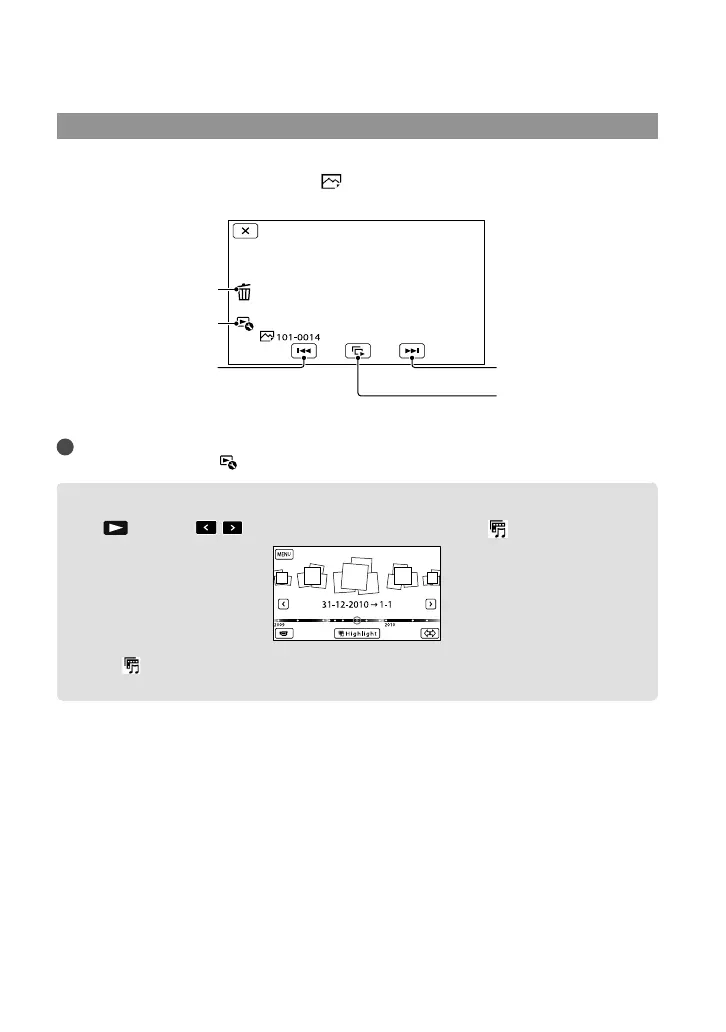
You can use the functions shown in the figure below while you are viewing photos. The figure
below will be displayed when you select [
PHOTO] by touching the Switch Image Type
button on the Event Index screen.
Tips
To repeat Slideshow, touch
[Slideshow Set].
Performing Highlight Playback
Press Touch / to select the desired event, then touch [ Highlight].
Touch [ Scenario Save] on the screen after the Highlight Playback is finished so that you can save
the Highlight Playback scenario.
To start/stop slide show
Next
Previous
Delete
Context








 To Next Page