18
GB
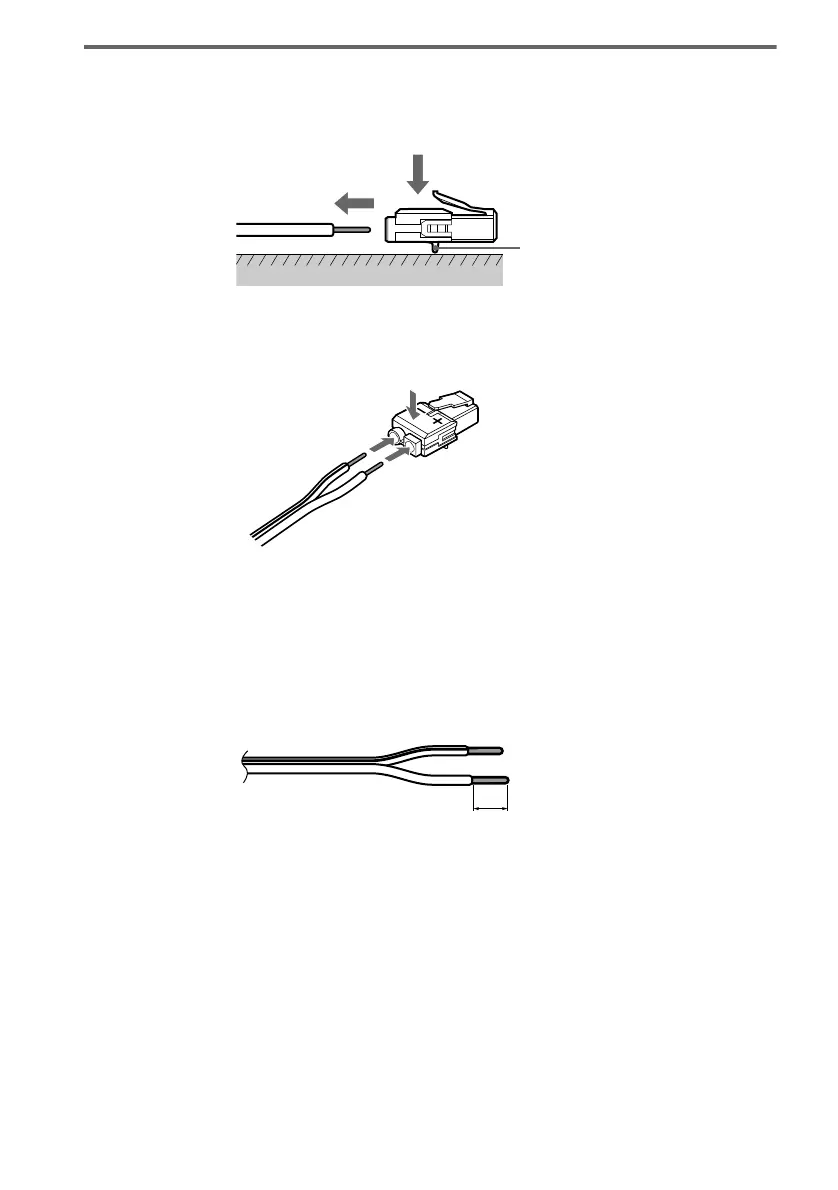
To change the speaker cables
If you want to use a different speaker cable, you can detach the plug for attachment to another cable.
Detaching
With the catcher facing down, press and hold the plug down against a flat surface and remove the cords
from the plug.
Attaching
While pressing the plug down against a flat surface, insert the new speaker cords.
Note that the cord marked with a line should be attached to the minus (-) side of the plug.
Note
Be careful not to damage the surface you use (desk, etc.) when attaching/detaching the speaker cords.
Tips
• You can use any commercially sold speaker cable of gauge cord AWG #18 - AWG #24.
• Before attaching a new cable, strip off 10 mm (13/32 in.) of its insulation and twist the bare wires of both cords.
Catcher
10 mm



 To Next Page