Getting Started
25
GB
Adjusting the speaker
settings by using the front
panel display on the system
You can set speaker settings using the AMP
menu displayed in the front panel.
AMP menu List
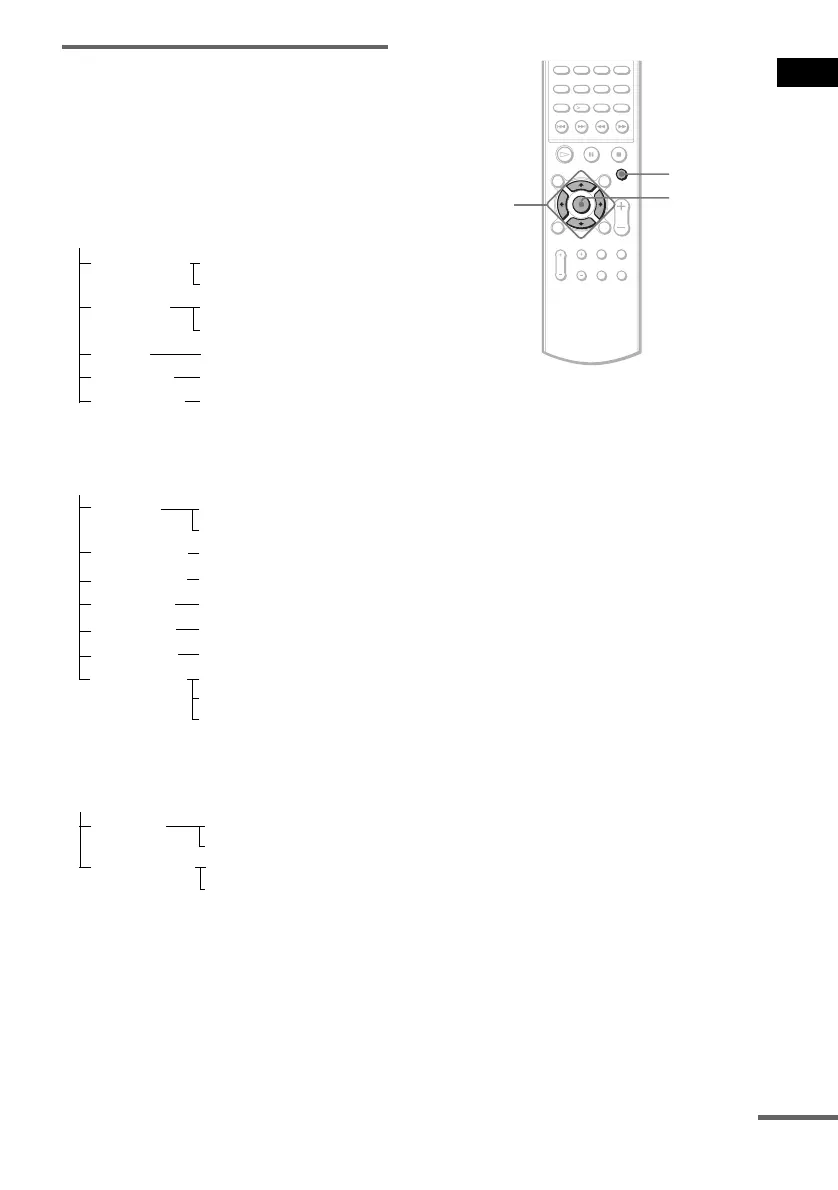
1 Press AMP MENU.
2 Press X/x until the item you want to set
appears in the front panel display, then
press ENTER or c.
x SP SETUP
Sets the speaker size and distance.
x LEVEL
Sets the balance and level of each speaker,
sets AUDIO DRC and the test tone (on or
off).
3 Press X/x to select the desired item,
then press ENTER or c to select the
desired setting.
4 Press X/x to select each setting of the
desired item.
You can set the following items. The default
settings are underlined.
Note
You can set the item of “SP SETUP” and “LEVEL,”
only when the system is set to “DVD” and in the stop
mode or the tray is opened.
SP SETUP
CENTER SP
SURR SP
F DIST
CEN DIST
CENTER Y
1.0 m - 7.0 m/3ft - 23ft
1.0 m - 7.0 m/3ft - 23ft
SURR Y
LEVEL
T.TONE
F BALANCE
T.TONE ON
T.TONE OFF
6 steps left or right
CUSTOMIZE
DIMMER
ATTENUATE
DIM OFF
DIM ON
ATT OFF
ATT ON
CEN LEVEL
–6 dB - +6 dB
SL LEVEL
–6 dB - +6 dB
SR LEVEL
–6 dB - +6 dB
DRC OFF
DRC STD
DRC MAX
SURR DIST 1.0 m - 7.0 m/3ft - 23ft
AUDIO DRC
SURR N
CENTER N
SW LEVEL
–6 dB - +6 dB
ENTER
C/X/x/c
AMP MENU
continued



 To Next Page