116
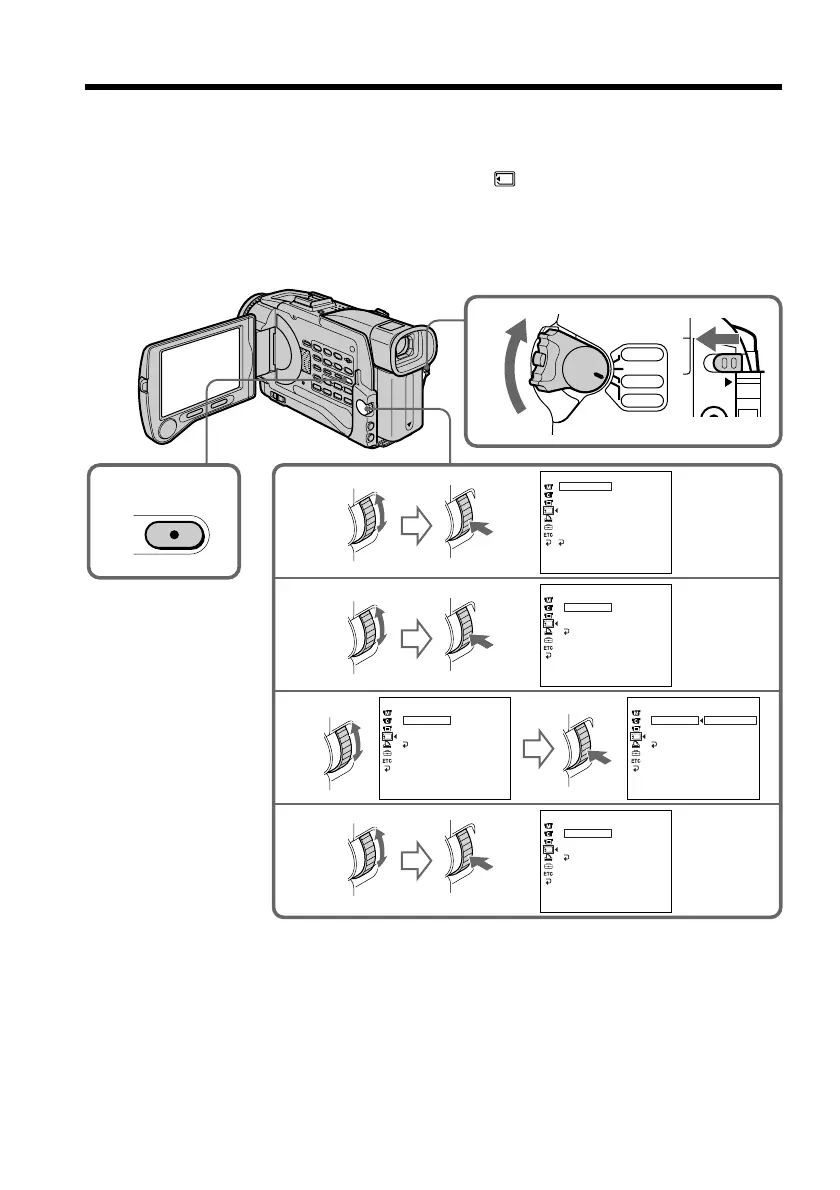
Recording still images on “Memory Stick”s
– Memory Photo recording
4
5
6
3
1
LOCK
2
MENU
VCR
CAMERA
MEMORY
OFF(CHG)
POWER
MEMORY SET
ST I LL SET
MOVIE SET
PR I NT MARK
PROTECT
SL IDE SHO
W
DELETE AL L
FORMAT
RETURN
[
MENU
]
:
END
PIC MODE
MEMORY SET
ST I LL SET
RETURN
[
MENU
]
:
END
SINGLE
QUA L I TY
IMAGESIZE
PIC MODE
MEMORY SET
ST I LL SET
RETURN
[
MENU
]
:
END
QUA L I TY
HIGH SPEED
IMAGESIZE
PIC MODE
MEMORY SET
ST I LL SET
RETURN
[
MENU
]
:
END
SINGLE
QUA L I TY
IMAGESIZE
PIC MODE
MEMORY SET
MULT I SCRN
NORMAL
ST I LL SET
RETURN
[
MENU
]
:
END
QUA L I TY
SINGLE
IMAGESIZE
HIGH SPEED
(1) Set the POWER switch to MEMORY. Make sure that the LOCK switch is set to
the left (unlock) position.
(2) Press MENU to display the menu.
(3) Turn the SEL/PUSH EXEC dial to select
, then press the dial.
(4) Turn the SEL/PUSH EXEC dial to select STILL SET, then press the dial.
(5) Turn the SEL/PUSH EXEC dial to select PIC MODE, then press the dial.
(6) Turn the SEL/PUSH EXEC dial to select the desired setting, then press the
dial.














 To Next Page