27
Recording – Basics
Recording a picture
Self-timer recording
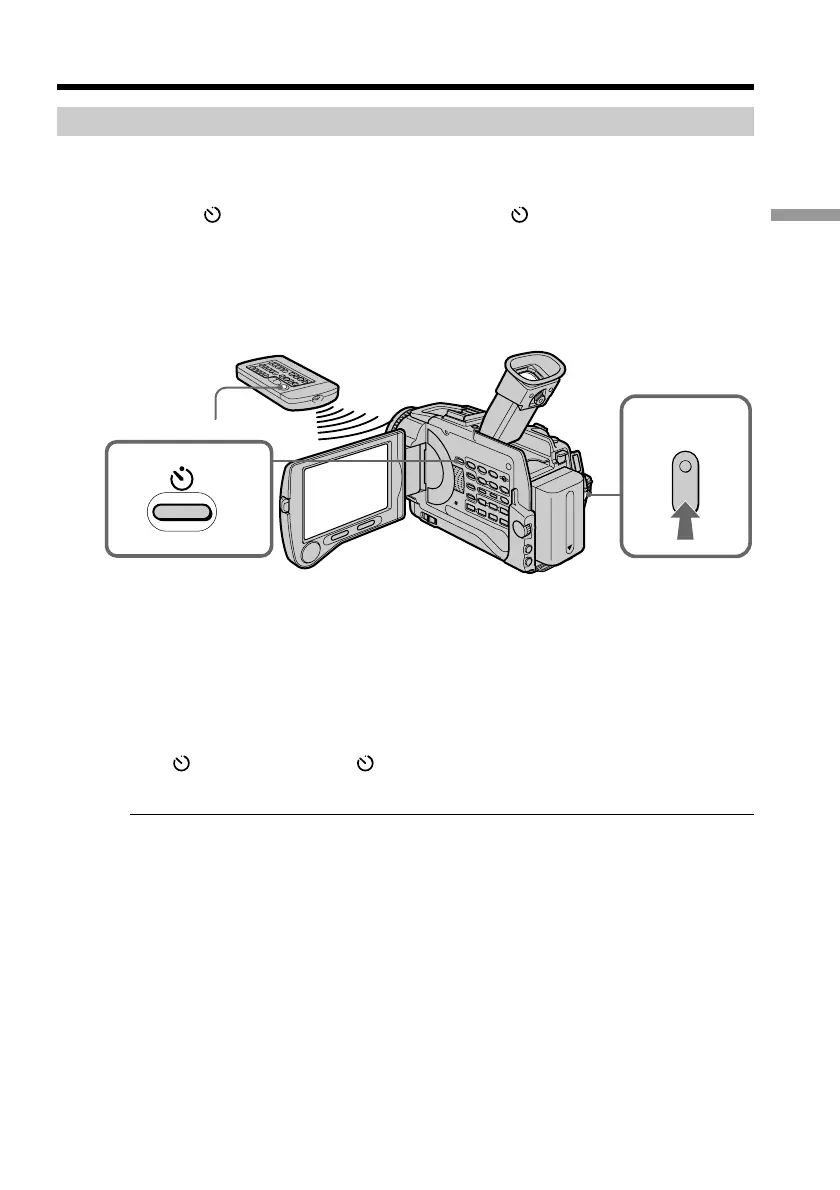
Recording with the self-timer starts in 10 seconds automatically. You can also use the
Remote Commander for this operation.
(1) Press (self-timer) in the standby mode. The (self-timer) indicator appears
on the screen.
(2) Press START/STOP.
Self-timer starts counting down from 10 with a beep sound. In the last
2 seconds of the countdown, the beep sound gets faster, then recording starts
automatically.
To stop the count down
Press START/STOP.
To restart the countdown, press START/STOP again.
To record still images on tapes using the self-timer
Press PHOTO in step 2 (p. 36).
To cancel self-timer recording
Press (self-timer) so that the indicator disappears from the screen while your
camcorder is in the standby mode.
Note
The self-timer recording mode is automatically canceled when:
– Self-timer recording is finished.
– The POWER switch is set to OFF (CHG) or VCR.
Self-timer memory photo recording
You can also record still images on “Memory Stick”s with the self-timer. (p. 119)
1
START/STOP
2














 To Next Page