135
“Memory Stick” Operations
Viewing a still image – Memory photo playback
Recording data
When you press DATA CODE, you can see the recording data (date/time or various
settings when recorded).
Recording data are also recorded on “Memory Stick.”
When no image is recorded on the “Memory Stick”
The message “ NO FILE” appears.
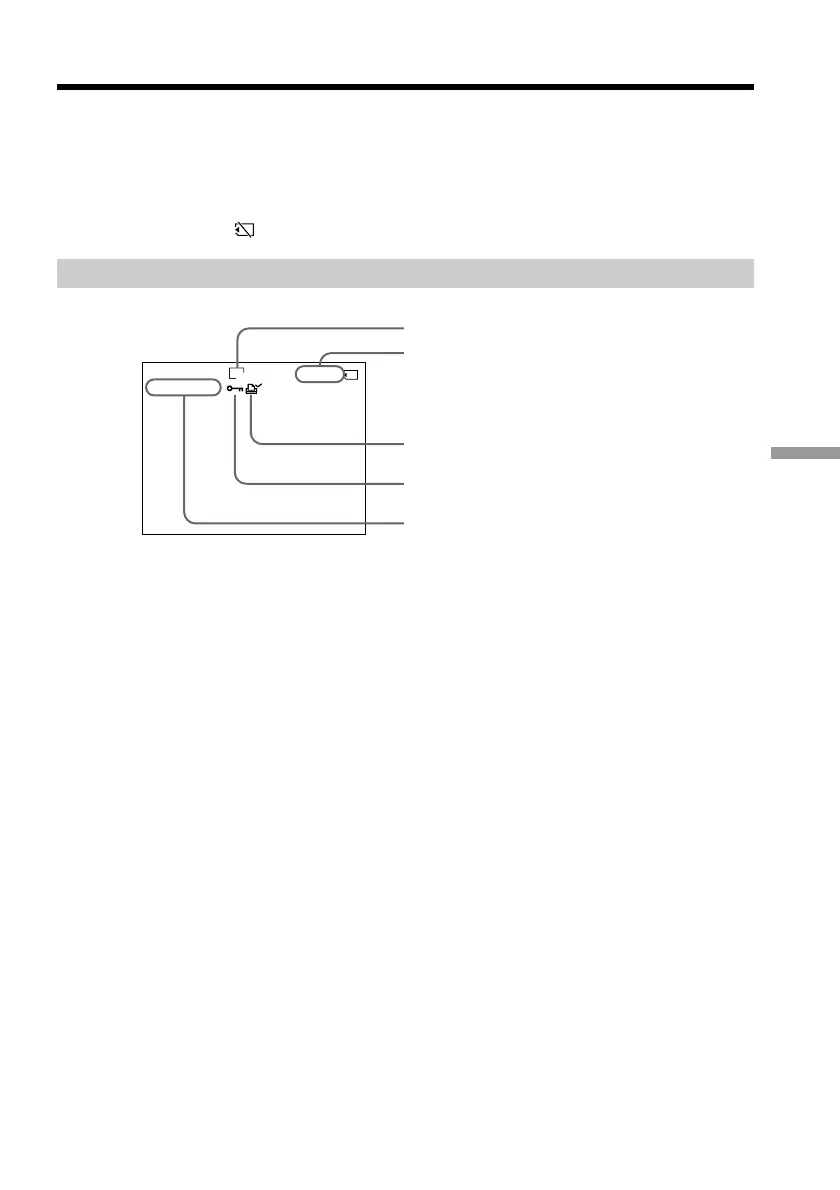
Screen indicators during still image playback
Image number/
Total number of recorded images
Image size
Data Directory Number, File Number
Protect indicator
Print mark
6 / 100
MEMORY PLAY
100-0006
640






 To Next Page