EasyManua.ls Logo

Sony DCR-TRV30 - Page 77

Sony DCR-TRV30
188 pages
Print Icon
To Next Page IconTo Next Page
To Previous Page IconTo Previous Page
Loading...
77
Editing
Notes
When you complete step 3, the image to adjust the syncronicity is recorded for about
50 seconds.
If you start recording from the very beginning of the tape, the first few seconds of the
tape may not record properly. Be sure to allow about 10 seconds’ lead before starting
the recording.
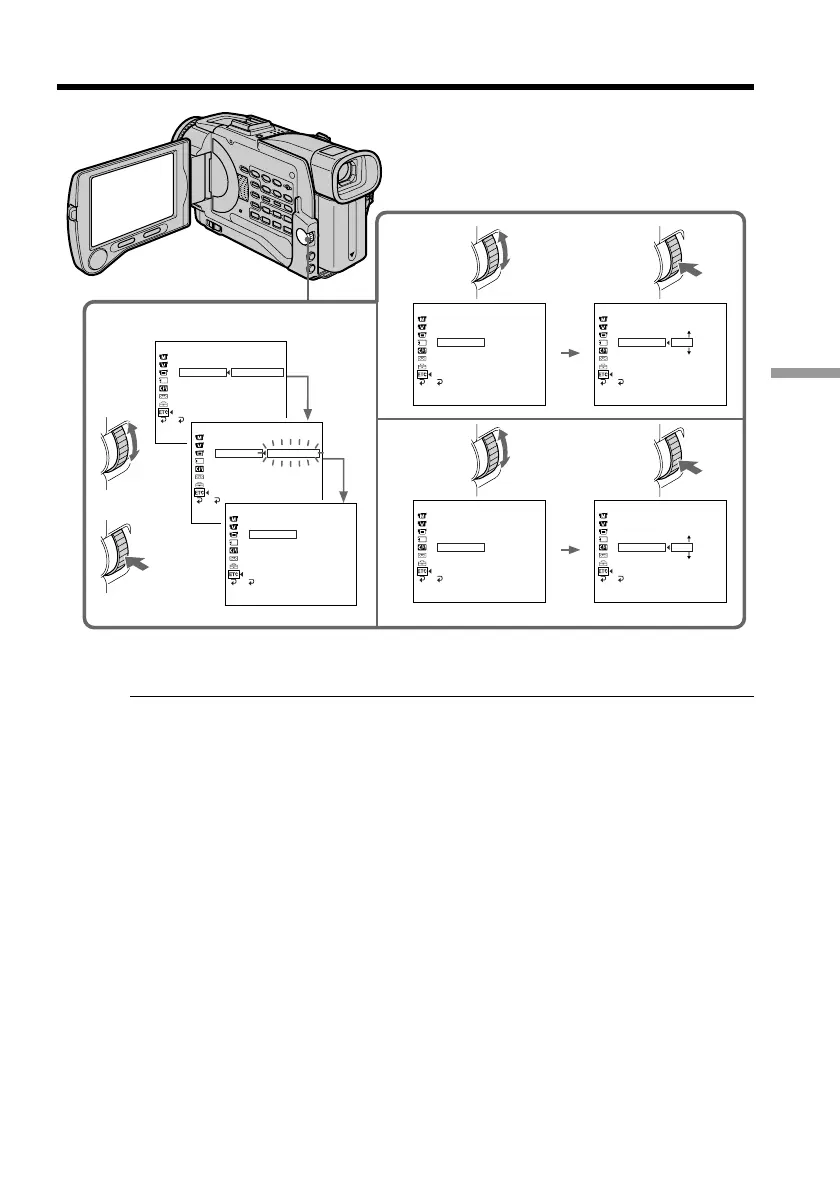
Dubbing only desired scenes – Digital program editing
3,4
7
9
OTHERS
ED I TSET
CONTROL
ADJ TEST
CUT
-
IN
CUT
-
OUT
IR SETUP
PAUSEMODE
IR TEST
RETURN
EXECUTE
[
ME
ENGAGE
RECCP A U S E
OTHERS
ED I TSET
CONTROL
ADJ TEST
CUT
-
IN
CUT
-
OUT
IR SETUP
PAUSEMODE
IR TEST
EXECUT ING
No
2
IN
+
215
[
ME
.
OTHERS
ED I TSET
CONTROL
ADJ TEST
CUT
-
IN
CUT
-
OUT
IR SETUP
PAUSEMODE
IR TEST
COMPLETE
RETURN
[
MENU
]
:
END
OTHERS
ED I TSET
CONTROL
ADJ TEST
CUT
-
IN
CUT
-
OUT
IR SETUP
PAUSEMODE
IR TEST
0
RETURN
[
MENU
]
:
END
OTHERS
ED I TSET
CONTROL
ADJ TEST
CUT
-
IN
CUT
-
OUT
IR SETUP
PAUSEMODE
IR TEST
0
RETURN
[
MENU
]
:
END
OTHERS
ED I TSET
CONTROL
ADJ TEST
CUT
-
IN
CUT
-
OUT
IR SETUP
PAUSEMODE
IR TEST
0
RETURN
[
MENU
]
:
END
OTHERS
ED I TSET
CONTROL
ADJ TEST
CUT
-
IN
CUT
-
OUT
IR SETUP
PAUSEMODE
IR TEST
0
RETURN
[
MENU
]
:
END

Table of Contents

Related product manuals