17
* Depending on the cellular phone, this unit’s
ringtone may be output even if set to “2 (cellular
phone).”
Pairing
The Bluetooth device (cellular phone, audio
device, etc.) and this unit need to be
“paired” before use between each other via
the Bluetooth function.
Tips
• For details on pairing for a Bluetooth device,
refer to the operating instructions supplied with
the device.
• You can pair up to 9 Bluetooth devices with this
unit.
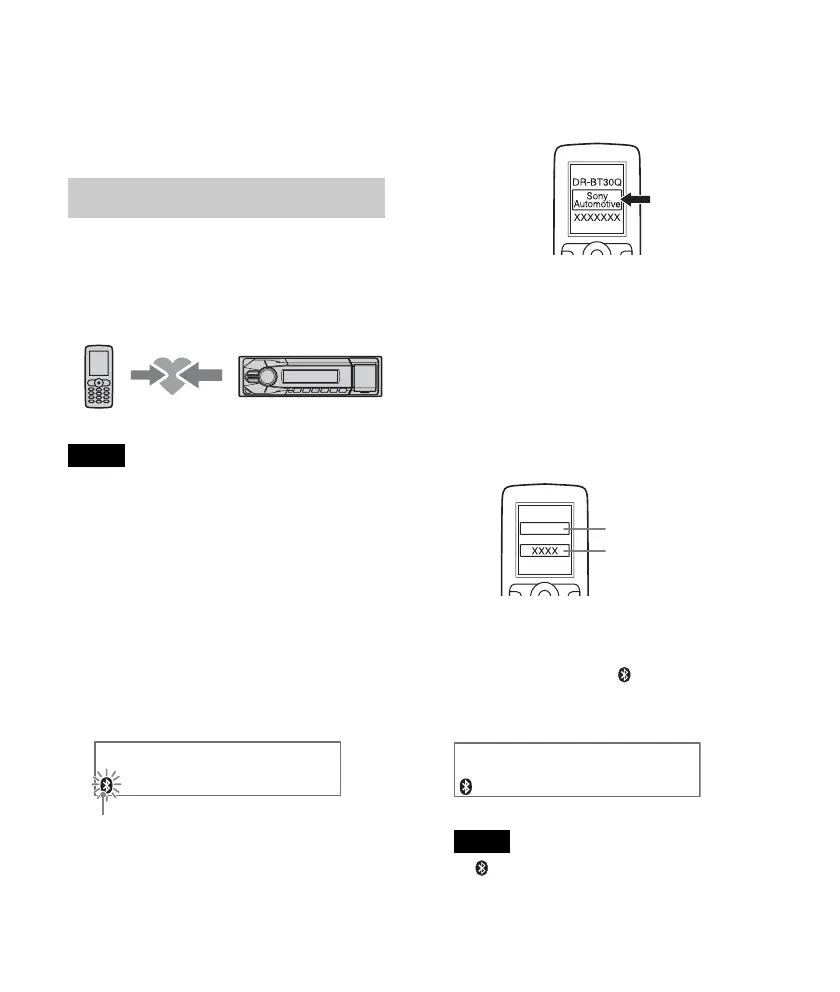
1 Place the Bluetooth device within 1 m
(3 ft) of this unit.
2 Press and rotate the control
dial until “PAIRING” appears, then
press it.
The unit enters pairing standby mode.
3 Set the Bluetooth device to search for
this unit.
A list of detected devices appears in the
display of the device to be connected.
This unit is displayed as “Sony
Automotive” on the device to be
connected.
4 If passkey* input is required in the
display of the device to be connected,
input “0000.”
If the device supports Bluetooth version
2.1, passkey input is not required.
* Passkey may be called “passcode,” “PIN
code,” “PIN number” or “Password,” etc.,
depending on the device.
This unit and the Bluetooth device
memorize each other’s information, and
when pairing is made, stays lit.
The unit is ready for connection to the
device.
Note
If “ ” continues to flash, the Bluetooth
device may not be compatible with this unit.
For details on compatible devices, visit the
support site on the back cover.
Flashing
Input passkey
“0000”












 To Next Page