Help Guide
Marine Audio
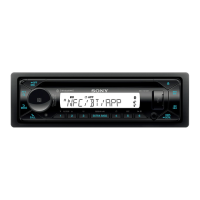
DSX-M80
Selecting Channels from Categories
To preset channels
While receiving the channel that you want to preset, press and hold a number button (1 to 6) until [MEM] appears.
To receive the preset channel, press MODE to select the Band you want ([SX1], [SX2] or [SX3]), then press a number
button (1 to 6). (Each Band can preset up to 6 channels.)
5-006-644-11(1) Copyright 2019 Sony Corporation
Press
(browse).
1
Rotate the control dial to select [CATEGORY], then press it.
2
Rotate the control dial to select the desired category, then press it.
The channel list appears.
3
Rotate the control dial to select the desired channel, then press it.
4


 To Next Page