Help Guide
Marine Audio
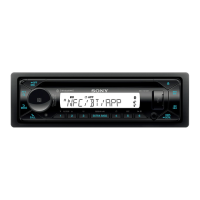
DSX-M80
Display Setup (DISPLAY)
DIMMER (dimmer)
Change the display brightness: [OFF], [ON], [AT] (auto), [CLK] (clock). ([AT] is available only when the illumination
control lead is connected, and the head lights are turned on.)
To set this function to be active only during a fixed period, select [CLK], then set the start and end times.
To set the brightness when the dimmer function is activated, set [DIMMER] to [ON], then adjust [BRIGHTNESS].
To set the brightness when the dimmer function is deactivated, set [DIMMER] to [OFF], then adjust [BRIGHTNESS].
The brightness setting is stored and applied when the dimmer function is activated or deactivated.
BRIGHTNESS (brightness)
Adjusts the display brightness. The brightness level is adjustable: [1] – [10].
BUTTON COLOR (button color)
Sets a preset color or customized color for the buttons.
DISPLAYCOLOR (display color)
Sets a preset color or customized color for the display.
SOUND SYNC (sound synchronization)
Activates the synchronization of the illumination with the sound: [ON], [OFF].
Item Detail
PRESET COLOR
(preset color)
Selects from 15 presets colors, 1 customized color.
CUSTOM COLOR
(custom color)
Registers a customized color for the buttons.
RGB RED, RGB GREEN, RGB BLUE
Adjustable color range: [0] – [32] ([0] cannot be set for all color ranges).
Item Detail
PRESET COLOR
(preset color)
Selects from 15 presets colors, 1 customized color.
CUSTOM COLOR
(custom color)
Registers a customized color for the display.
RGB RED, RGB GREEN, RGB BLUE
Adjustable color range: [0] – [32] ([0] cannot be set for all color ranges).


 To Next Page