Help Guide
Marine Audio
DSX-M80
Making a Call from the Phonebook
5-006-644-11(1) Copyright 2019 Sony Corporation
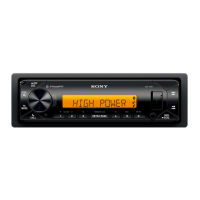
Press CALL.
When two mobile phones are connected to the unit, rotate the control dial to select either phone, then press it.
1
Rotate the control dial to select [CONTACTS], then press it.
2
Rotate the control dial to select an initial from the initial list, then press it.
3
Rotate the control dial to select a name from the name list, then press it.
4
Rotate the control dial to select a phone number from the number list, then press it.
The phone call starts.
5


 To Next Page