Help Guide
Marine Audio
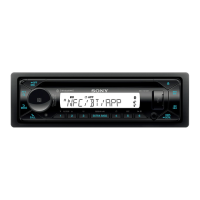
DSX-M80
BLUETOOTH Setup (BLUETOOTH)
PAIRING (pairing)
Connects up to two BLUETOOTH devices: [DEVICE 1], [DEVICE 2].
[DEVICE 1] or [DEVICE 2] will be changed to the paired device name after pairing is complete.
SELECT AUDIO (select audio device)
Selects the audio device. [*] appears on the device paired with [DEVICE 1] or the current A2DP compatible audio device.
RINGTONE (ringtone)
Select the source of the ringtone output from the speakers: [1] (ringtone preset in this unit), [2] (ringtone from the mobile
phone*).
AUTO ANSWER (auto answer)
Sets this unit to answer an incoming call automatically: [OFF], [3 SECONDS] (about 3 seconds), [10 SECONDS] (about
10 seconds).
AUTO PAIRING (auto pairing)
Start BLUETOOTH pairing automatically when iOS device version 5.0 or later is connected via USB: [ON], [OFF].
BT SIGNAL (BLUETOOTH signal)
Activates/deactivates the BLUETOOTH function.
BT INIT (BLUETOOTH initialize)
Initializes all the BLUETOOTH related settings (pairing information, device information, etc.): [YES], [NO].
When disposing the unit, initialize all the settings.
(Available only while the source is off and the clock is displayed.)
VOICE OUT (voice output)
Selects the speakers for handsfree calling:
[VOICE FRONT] (front speakers), [VOICE REAR] (rear speakers), [VOICE ALL] (all speakers).
(Available only while the source is off and the clock is displayed.)
5-006-644-11(1) Copyright 2019 Sony Corporation
Depending on the mobile phone, this setting may not be available.
*


 To Next Page