34
z Hint
To play without using PBC, press ./> while
the player is stopped to select a track, then press H
or ENTER.
“Play without PBC.” appears on the TV screen and
the player starts continuous play. You cannot play
still pictures such as a menu.
To return to PBC playback, press x twice then
press H.
Notes
• Depending on the VIDEO CD, “Press ENTER” in
Step 3 may appear as “Press SELECT” in the
instructions supplied with the disc. In this case,
press H.
• The PBC functions of Super VCDs do not work
with this player. Super VCDs are played in
continuous play mode only.
Playing an MP3 Audio
Track
You can play back DATA CDs (CD-ROMs/
CD-Rs/CD-RWs) recorded in MP3 (MPEG1
Audio Layer 3) format.
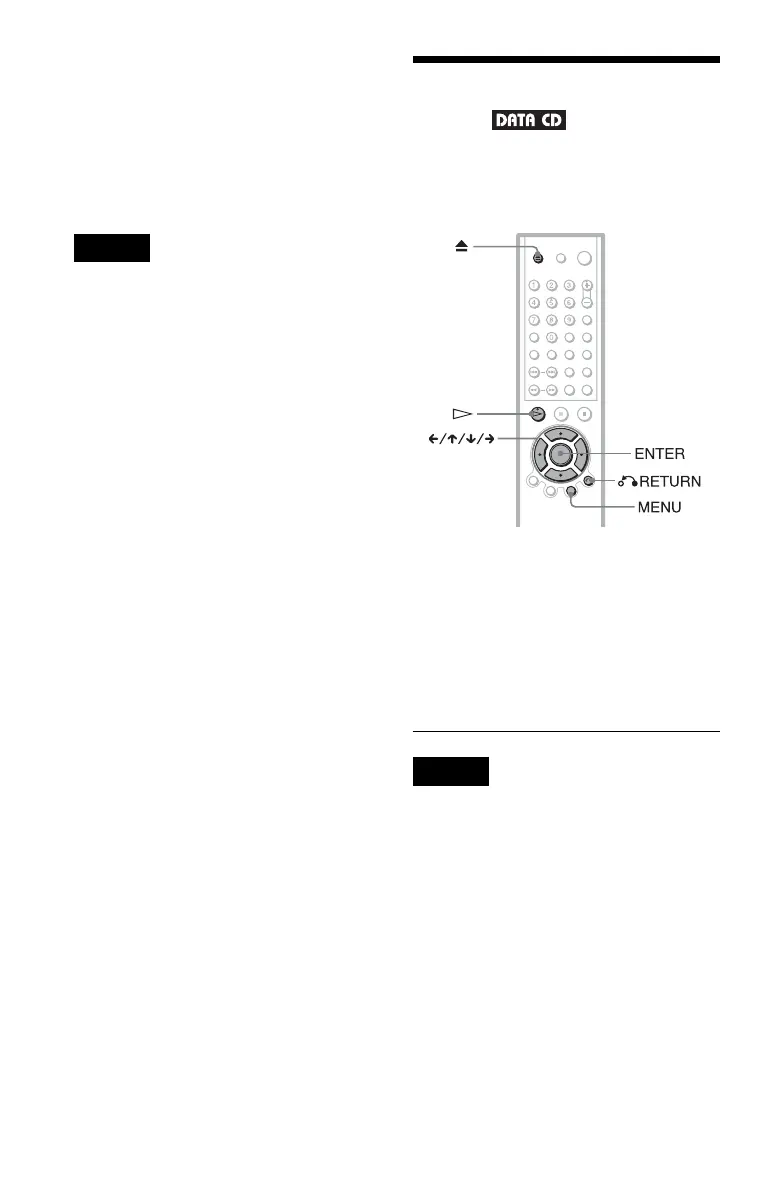
1 Press Z and place a DATA CD on
the disc tray.
2 Press H.
The disc tray closes, and the player starts
to play the first MP3 audio track in the
first album on the disc.
Notes
• The playback order may be different from the
edited order. See “The playback order of MP3
audio tracks” below for details.
• This player can play MP3 audio tracks recorded in
the following sampling frequencies:
32 kHz, 44.1 kHz, 48 kHz.





 To Next Page