41
Playing Discs
◆ When playing a VIDEO CD or CD
• DISC: repeats all of the tracks on the
current disc in One Disc mode, or all of
the discs in All Discs mode.
• TRACK: repeats the current track.
◆ When playing a DATA CD (MP3 audio)
• DISC: repeats all of the albums on the
current disc in One Disc mode, or all of
the discs in All Discs mode.
• ALBUM: repeats the current album.
• TRACK: repeats the current track.
◆ When Program Play or Shuffle Play is
activated
• ON: repeats Program Play or Shuffle
Play.
To return to normal play
Press CLEAR, or select “OFF” in Step 2.
To turn off the Control Bar
Press DISPLAY repeatedly until the Control
Bar is turned off.
z Hints
• You can set Repeat Play while the player is
stopped. After selecting the “REPEAT” option,
press H. Repeat Play starts.
• You can select “REPEAT” directly by pressing
REPEAT.
Repeating a specific portion (A-
B Repeat Play)
You can play a specific portion of a title,
chapter or track repeatedly. (This function is
useful when you want to memorize lyrics, etc.)
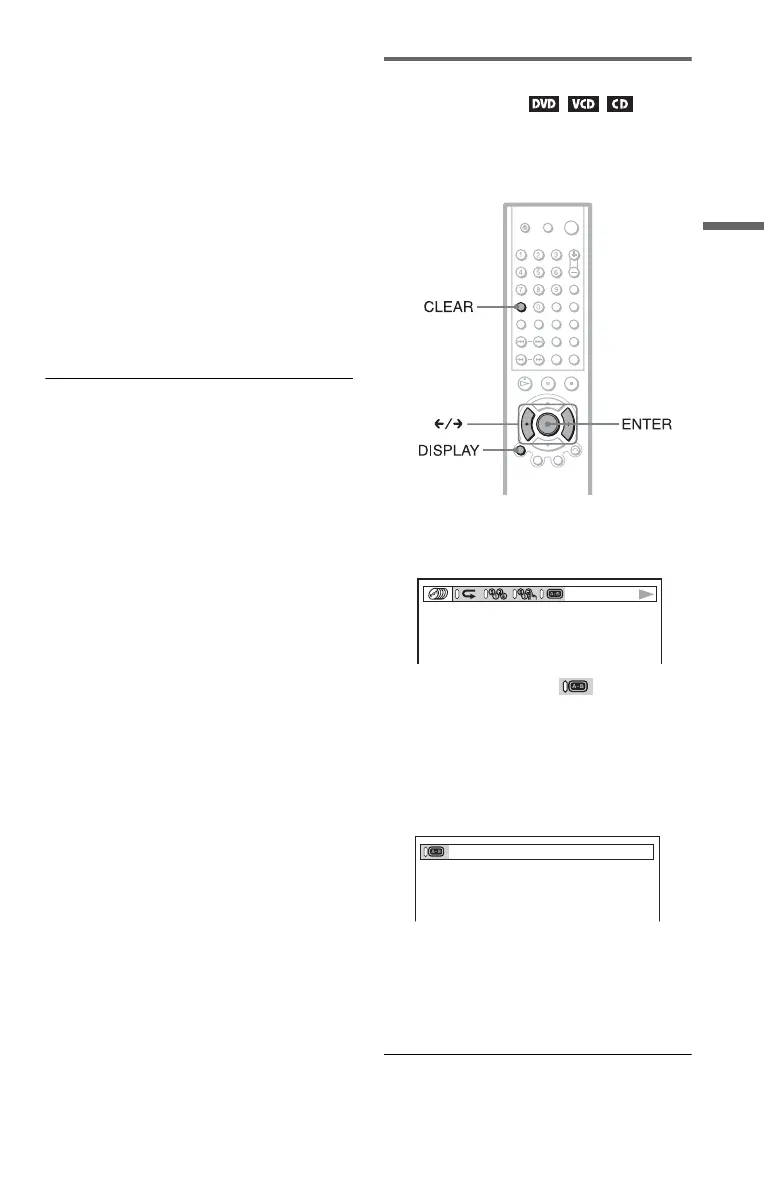
1 Press DISPLAY during playback.
The following Control Bar appears.
2 Press C/c to select (A-B
REPEAT).
3 During playback, when you find the
starting point (point A) of the portion to
be played repeatedly, press ENTER.
The starting point (point A) is set.
4 When you reach the ending point
(point B), press ENTER again.
The set points are displayed and the
player starts repeating this specific
portion.
c continued





 To Next Page